
Twitter advanced search: every filter and operator, with examples
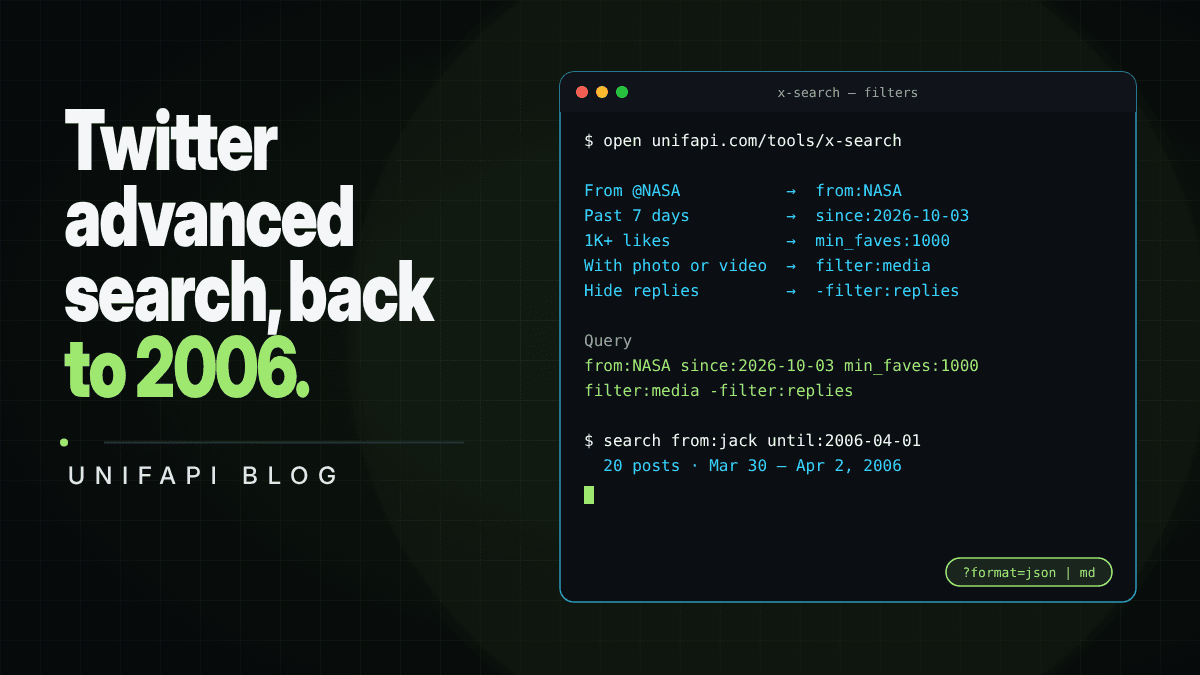

How to use Twitter (X) advanced search: the five filters, the operators behind them, ready-to-run examples, and finding old tweets by date.
In short: Twitter advanced search is the set of operators X's search understands, such as
from:,since:,until:,min_faves:andfilter:media. They narrow a search to one account, a date range, popular posts, or posts with photos and video. X's own search asks you to sign in; the Twitter advanced search on UnifAPI runs the same operators free, with no login or account, rate-limited per visitor, and its filters write the operators for you. To find old tweets, adduntil:with a date: the search reaches back to 2006.
Most guides to Twitter advanced search are a list of operators to memorize. You do not need to memorize them. Five filters cover what most searches need, the rest are easy to look up when you need them, and the one trick worth remembering is that a date gets you to any year.
What Twitter advanced search is
Advanced search is not a separate product. It is the ordinary search box plus a small query language: a word that follows a pattern like from:nasa or min_faves:100 becomes a filter instead of a keyword. X's Advanced Search form (at x.com/search-advanced, for signed-in users) is a form that writes those operators for you; submit it and you get an ordinary search with the operators in the query.
Because operators are plain text, they work anywhere a query reaches X's search unchanged. That includes the free search tool and the free Twitter search API behind it.
The five filters, in plain words
The search page puts the five filters people use most under the search box. Each one adds one operator:
| Filter | Operator it adds | Example (opens ready to run) |
|---|---|---|
| From @account | from:handle | from:NASA |
| Today, Past 3 days, Past 7 days | since:YYYY-MM-DD | nasa since:2026-10-03 |
| 10+ to 10K+ likes | min_faves:N | "ai agents" min_faves:500 |
| With photo or video | filter:media | from:NASA filter:media |
| Hide replies | -filter:replies | #buildinpublic -filter:replies |
How the filters behave:
- The search box holds only your keywords. The Query line under the filters shows the full string being sent, so you see the operators without typing them.
- Filters re-run the search. Once a search has run, changing a filter runs it again.
- Typed operators move into their filter. Type
nasa min_faves:100, press Search, and the box keepsnasawhile the likes filter switches to 100+. An operator that appears twice, sits next toOR, or is inside quotes stays as typed, because pulling it out would change what the query means. - Shared links fill the filters back in. This link opens with "From @NASA" and "With photo or video" switched on.
Every operator that works
Whatever you type goes to X's search as written, so the full operator set works, not only the five filters:
| Operator | Example | Finds |
|---|---|---|
from: | from:NASA | Posts by one account |
-from: | @NASA -from:NASA | Leaves out an account's own posts |
to: | to:NASA | Replies addressed to an account |
@handle | @NASA | Posts that mention an account |
#hashtag | #buildinpublic | Posts with a hashtag |
"phrase" | "open source" | That exact phrase |
-word | nasa -artemis | Leaves out posts containing a word |
OR | nasa OR esa | Either term (uppercase OR) |
since: | since:2026-10-01 | Posts from a date on |
until: | until:2020-01-01 | Posts before a date |
min_faves: | min_faves:100 | At least N likes |
min_retweets: | min_retweets:50 | At least N reposts |
filter:media | from:NASA filter:media | Posts with photos or video |
filter:links | "open source" filter:links | Posts with a link |
-filter:replies | #buildinpublic -filter:replies | Leaves out replies |
-filter:retweets | from:NASA -filter:retweets | Leaves out reposts |
lang: | lang:ja AI | Posts in one language (two-letter code) |
Everything in one query has to match at once, so words, operators and filters stack. "NASA's photo and video posts since September with at least 1,000 likes, no replies" is from:NASA since:2026-09-01 min_faves:1000 filter:media -filter:replies.
Examples you can run
Each link opens the free search with the query filled in and runs it:
- One account's photos and videos:
from:NASA filter:media - What people say to an account, not what it says:
@NASA -from:NASA -filter:replies - Every reply sent to an account:
to:NASA - Popular posts on a topic:
"ai agents" min_faves:500 - A topic without one subtopic:
nasa -artemis - Links people share about a topic:
"open source" filter:links -filter:retweets - Posts in one language:
lang:ja AI
How to find old tweets
Add a date. Without one, search returns the newest posts first and pages backwards 20 at a time, which is fine for this week and hopeless for 2019. With until: you jump straight to the period:
- Put the account or the words in the search box, for example
from:jack. - Add
until:with the day the period ends, andsince:for the day it starts:from:jack since:2006-03-01 until:2006-04-01. - Press Search. Results run newest first inside that window, and Load more goes further back.
On October 10, 2026, from:jack until:2006-04-01 returned Jack Dorsey's posts from March 2006, the first weeks of the service, and from:NASA since:2019-07-20 until:2019-07-22 returned NASA's posts from the 50th anniversary of Apollo 11.
What makes old searches work:
- Pad the dates by a day.
since:anduntil:take whole days, and X draws the day boundary in its own time zone, not yours. Ouruntil:2006-04-01search also returned a post stamped 04:49 UTC on April 2, so a post a few hours either side of a date can show up or go missing. - Narrow the window, not the words. Results are newest first with no "best of" ranking, so a one-week window around an event beats a one-year window with more keywords.
- Quote what you remember. An exact phrase matches the wording:
from:NASA "Apollo 11" until:2019-07-25. - Use the date format X expects. Dates are
YYYY-MM-DD.since:10/01/2026is not a date to X, and the search returns nothing.
Search tweets by date range
In the tool, the date filter covers the common windows: Today, Past 3 days and Past 7 days. For any other range, type since: and until: into the search box. When you press Search, the since: date moves into the date filter, which then reads "Since" and the date, and until: stays in the box.
When advanced search shows nothing
It is usually one of these:
- A space after the colon.
from: nasais a search for the word "nasa", not for NASA's posts; on October 10 it returned 20 posts and none of them by NASA. Operators take no space:from:nasa. - Filters that cannot both be true. Two
from:operators withoutORask for posts written by both accounts at once. Usefrom:nasa OR from:esa. - A date in the wrong format, or a window that is too narrow. See above.
- Protected, suspended or deleted. Only public posts are searchable, and deleted posts do not come back.
- The free limit. The free search allows 20 lookups per 10 minutes per visitor, and a search counts as two. The line under the filters shows how many are left and when they reset.
From a search to a script or an agent
Every search on the page is also an API call. The Use in code button above the results gives the same query as JSON, as Markdown, or as a curl command:
curl -s "https://unifapi.com/tools/x/search?q=from%3ANASA%20filter%3Amedia"
The free Twitter search API guide covers the response fields, paging and limits, and Twitter viewers for AI agents shows how an agent reads X through these endpoints. For volume beyond the free limit, the X / Twitter API runs the same search pay as you go with a workspace key.
FAQ
Can I use Twitter advanced search without logging in?
Yes. X's own search asks you to sign in, but the Twitter advanced search on UnifAPI runs the same operators for free with no login or account. It is rate-limited per visitor: 20 lookups per 10 minutes, and a search counts as two.
Where is advanced search on X?
For signed-in users it is at x.com/search-advanced. It is a form that fills in the same operators listed above, so anything it can do, a typed query can do too.
How do I search tweets from a specific user?
Use from: with the handle, with no @ and no space: from:NASA. Add words to search inside that account's posts, such as from:NASA mars. In the tool, the From filter does this for you.
How do I find old tweets on Twitter?
Add until:, and since: if you know the start, with dates in YYYY-MM-DD format: from:jack until:2006-04-01. The search reaches back to 2006, newest first inside the window you set.
Why does Twitter advanced search miss some posts?
Protected accounts, deleted posts, and posts outside the date window never appear, and X draws date boundaries in its own time zone. Check that each operator has no space after the colon and pad the dates by a day.