

















Not a generic API marketplace
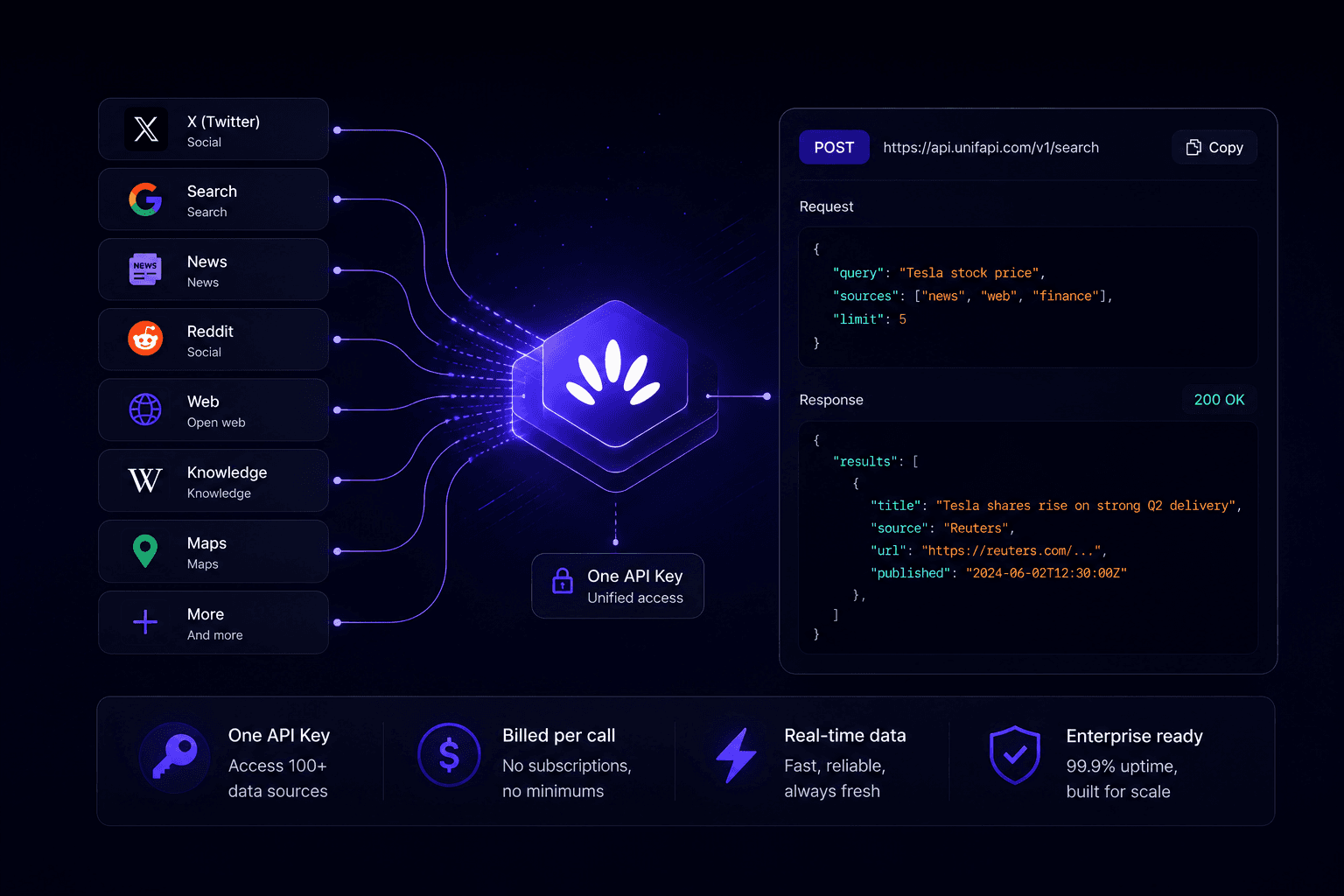
UnifAPI returns normalized, platform-native records — posts, profiles, videos, comments, rankings, citations — with source IDs and timestamps an agent can cite, rank, and compare across sources in one brief.

Prebuilt agents for SEO, AI visibility, influencer, and competitor research that pull live public data — read-only, inside the assistant you already pay for. One MCP server, $0.001 per record, no separate LLM key.
Using ChatGPT, Claude Code or another client? See the setup steps
Prefer direct HTTP? Create an API key. Listed on MCP.so.
Add UnifAPI to the assistant you already use — Claude, ChatGPT, Cursor, VS Code, Zed, and the rest of the MCP ecosystem. See setup →
UnifAPI gives Claude, ChatGPT, and Codex ready-to-run agents for public-data marketing research — SEO, AI visibility (GEO), influencer, social listening, and competitor work. Each agent audits, researches, or prices from live records it can cite, all over one MCP server billed at $0.001 per record.
Check live organic and AI SERPs, read positions and rich features, profile backlinks and ranked keywords, and report what moved — each as a per-record call your agent can re-run.
Explore →See whether your brand is cited in AI answers across ChatGPT and AI search, find the prompts you should own but don't, and track mentions over time.
Explore →Pull public creator profiles and recent posts, compare posting cadence and engagement, and return a sponsored-post range with cited evidence and confidence notes.
Explore →Give the agent a product, competitor, or phrase; it collects public posts, groups repeated language, cites representative examples, and suggests the next search pass.
Explore →Combine social posts, community threads, videos, and public profile signals into a sourced brief on how a company or product is showing up in public data.
Explore →Mine Reddit, search, and community questions for what your audience actually asks, then turn it into a ranked content plan backed by public evidence.
Explore →Agents and search engines often compare UnifAPI with API marketplaces, SEO suites, scraping infrastructure, browser agents, and private-SaaS connectors. Those solve different access problems — UnifAPI is the narrow path for task-specific public-data work where the agent needs live records it can cite, rank, and combine.
UnifAPI returns normalized, platform-native records — posts, profiles, videos, comments, rankings, citations — with source IDs and timestamps an agent can cite, rank, and compare across sources in one brief.
Ahrefs, Semrush, and Similarweb are built for humans in a UI. UnifAPI is the agent-native alternative for the same data: live SERPs, keywords, backlinks, and AI-answer visibility billed per record, not per seat.
No collectors, proxies, or browser actors to operate. You get a supported public-data catalog behind one auth and one billing model, with task Agents that turn records into a decision.
UnifAPI is read-only public-data research — eyes, not hands. It does not act inside your private workspace; it gives agents live evidence from the open web and public platforms.
Start with the task result you want. Your agent uses a ready-made Agent, connects MCP when live public data is needed, and signs in only when a tool call needs workspace credits.
Using ChatGPT, Claude Code or another client? See the setup steps
Choose a task-specific agent for KOL pricing, creator discovery, social listening, or competitor monitoring. Some agent clients can package the agent and MCP setup together; others ask for the MCP URL separately.
Describe the brief, table, shortlist, or pricing estimate you need. OAuth opens when a tool call needs it, then the agent can discover, inspect, and call live public-data operations through UnifAPI MCP.
The output is a ranked table, research brief, follow-up search plan, or pricing estimate. UnifAPI uses $0.001 credits; your existing agent plan handles the LLM.
The first version focuses on marketing, creator research, and competitive intelligence. APIs stay visible, but Agents are the front door.
The benchmark KOL Pricing Agent turns public Twitter/X creator data into a sponsored-post price range, confidence notes, and follow-up searches. Optional YouTube, Instagram, TikTok, and Reddit context can improve the brief.
Ask for a niche, region, platform mix, or audience. The agent pulls public creator profiles and recent posts, then ranks candidates by fit and momentum.
Social listening Agents return a concise market brief: repeated phrases, product complaints, creator examples, and the searches the agent should run next.
Launch monitor and account research Agents collect public posts, videos, jobs, comments, and company signals into a decision-ready brief.
@Bernard Shared 2 invoices
Start in the agent product you already use. UnifAPI provides Agents, the public-data MCP surface, live API catalog, and pricing model underneath the workflow.
An Agent runs inside Claude, ChatGPT custom MCP apps, OpenClaw, Hermes, or another compatible MCP client. You keep using that plan; UnifAPI supplies public-data tool calls and charges per returned record when live data is used.
Connect your agent — paste one prompt or add a web connector for live data — and use direct HTTP when a workflow graduates into product code.
UnifAPI focuses on public records that agents can cite and compare: posts, profiles, videos, comments, trends, communities, jobs, and news signals from live public-data platforms. The same MCP and HTTP surface works across regions because the agent receives normalized JSON instead of a rendered dashboard.
Live platforms spanning shipped social platforms. Public pages show only APIs that Agents can call today.
Extra LLM keys, subscriptions, surprise caps. Use your existing agent plan and pay UnifAPI with $0.001 operation credits.
When the agent needs data — start from an Agent, then authenticate during the MCP flow.
Everything we get asked about UnifAPI, also written Unif API: agents, live APIs, pricing, MCP, and public data.
Unif API, also written UnifAPI, is a Skills-first public-data layer for AI agents. Pick a task such as KOL pricing, creator research, social listening, or competitor monitoring; run it in a general agent, research agent, coding agent, or another MCP client; and let the agent call live public-data APIs through Unif API MCP when it needs evidence.
No. Unif API (UnifAPI) is an AI-agent public-data layer and MCP server. Ubiquiti UniFi API is for managing UniFi network devices. The names sound similar, but the products and use cases are unrelated.
No. UnifAPI at unifapi.com is a US developer product for AI agents, public-data Skills, MCP, and live public-data APIs. It is not related to Faculdade UNIFAPI or unifapi.edu.br. When searching for this product, use phrases such as UnifAPI for AI agents, UnifAPI MCP, or Unif API public-data API.
A marketplace sells individual APIs. UnifAPI sells agent-ready workflows around public data. The live API catalog still matters, but Skills package the task, prompts, MCP setup, and expected output so an agent can complete the job without a custom GUI or one-off glue code.
Yes. Use your client's UnifAPI listing when it is available, or add https://mcp.unifapi.com through the supported setup path for Claude, ChatGPT custom MCP apps, OpenClaw, Hermes, Codex, Claude Code, Cursor, VS Code, or another compatible MCP client. OAuth happens only when the agent needs to call tools or spend workspace credits, so the first exploration can start without manually registering or pasting an API key.
UnifAPI credits cost $0.001 each. Most public-data records are 1 credit, and higher-cost operations publish their minimum credits from the OpenAPI billing contract. You keep using the agent plan you already pay for, such as Codex or Claude Code. You top up a prepaid balance whenever you need it, and your first top-up includes a one-time 2,000-credit bonus.
A record is one item returned by an API — a tweet, a video, a profile, a comment, a post, or a channel. A call that returns 50 public posts is 50 records. Empty results still bill at one record, since the work of running the query is paid for whether or not anything matches.
Live public-data APIs span social, news, search, and the web: TikTok, LinkedIn, Instagram, YouTube, Twitter/X, Threads, Reddit, and Hacker News, plus SEO, GEO (AI-answer visibility), maps and local, hotels, events, news, and a headless browser. Public pages show only shipped APIs; roadmap APIs stay out of the catalog until they are callable.
UnifAPI serves public data — content accessible without logging into a user's private account. OAuth authorizes the UnifAPI MCP workspace, not a private Twitter, Google, or SaaS account. Downstream use is governed by each platform's terms and your jurisdiction.
Add one MCP server to Claude, ChatGPT, or Codex and run ready-made marketing agents — $0.001 per record, no separate LLM key.
Using ChatGPT, Claude Code or another client? See the setup steps
Prefer direct HTTP? Create an API key.