
A free Twitter search API that returns JSON, with X's search operators

Updated
Search recent public X posts as JSON from a script or AI agent with no API key: the endpoint, working operators, cursor paging and limits.
In short:
GET https://unifapi.com/tools/x/search?q=<query>returns public X posts matching a query as JSON. It is free to use with no login, no account and no API key, and rate-limited per visitor. X's search operators work inq:from:,to:,since:,until:,min_faves:,min_retweets:,filter:media,filter:links,-filter:replies,lang:, and quoted phrases. Results come 20 per page, newest first, with anextCursorto page. The free limit is 20 units per 10 minutes per visitor, printed inX-RateLimit-*headers, and a search costs 2 units because it is the most expensive call upstream, so that is 10 searches. Without dates you get the newest posts; addsince:anduntil:and the same search reaches back to 2006.
Of all the things people want from X without an account, search is the one with no good free answer. The link-preview APIs (FxTwitter, vxTwitter) read single posts. The syndication endpoint reads single posts. Nitter had search, and most public Nitter instances are gone or legally blocked. That left either a developer account with a paid tier or a headless browser driving x.com/search, which is slow, fragile, and against the terms.
This is what the free search endpoint does, how to query it, and where it stops.
The request
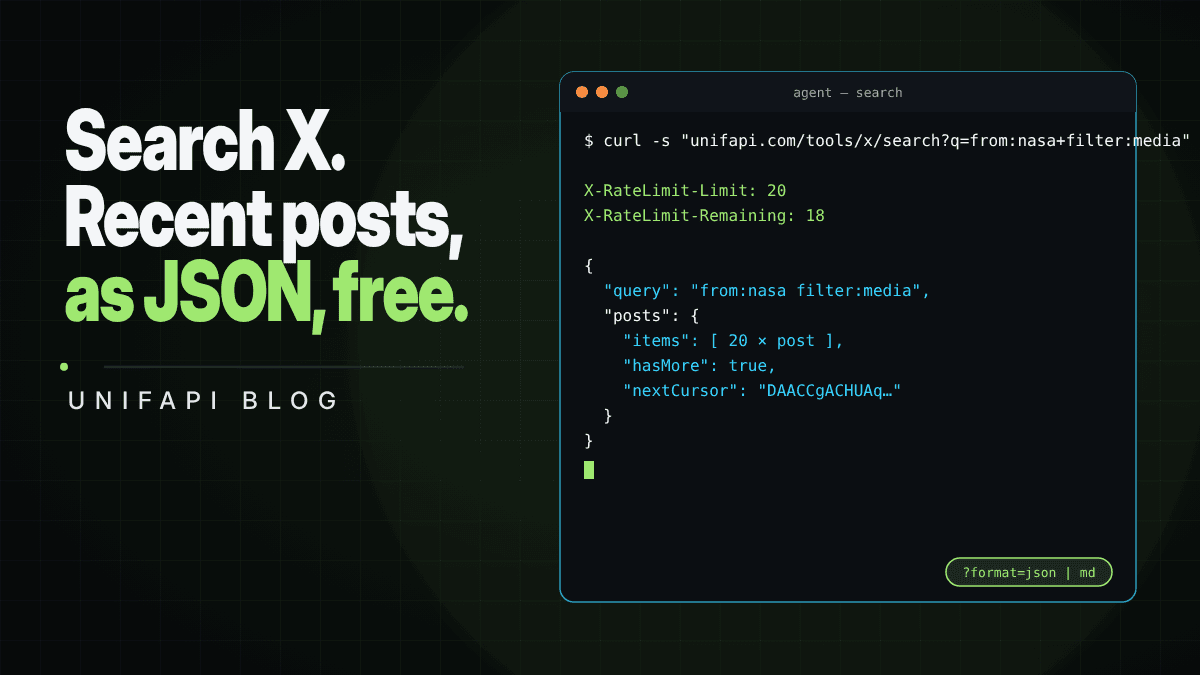
curl -s "https://unifapi.com/tools/x/search?q=from%3Anasa%20filter%3Amedia"
{
  "query": "from:nasa filter:media",
  "posts": {
    "items": [
      {
        "id": "2107566197579341846",
        "text": "After delivering science and supplies to the @Space_Station earlier this year, Northrop Grumman's Cygnus XL cargo spacecraft is scheduled to depart on Friday…",
        "createdAt": "2026-10-06T20:18:32.000Z",
        "url": "https://x.com/NASA/status/2107566197579341846",
        "author": { "handle": "NASA", "name": "NASA", "verified": true, "followers": 92373839 },
        "metrics": {
          "likes": 2195,
          "reposts": 302,
          "replies": 114,
          "quotes": 20,
          "bookmarks": 104,
          "views": 1520159
        },
        "media": [
          {
            "kind": "photo",
            "url": "https://pbs.twimg.com/media/…jpg",
            "width": 1920,
            "height": 1280
          }
        ]
      }
    ],
    "hasMore": true,
    "nextCursor": "DAACCgACHUAq4qFAJxAKAAMd…"
  }
}
The same request on the human page is https://unifapi.com/tools/x-search?q=from:nasa filter:media, and adding &format=json to that page URL returns the JSON above. Add format=md instead, or send Accept: text/markdown, to get the posts as Markdown, which fits a model's context window better than JSON.
Operators that work
The query goes to X's search as written, so the operators X documents for its own search box work here. These are the ones we use most:
| Operator | Example | What it does |
|---|---|---|
from: | from:nasa | Posts by one account |
to: | to:nasa | Replies addressed to an account |
@handle | @nasa | Posts mentioning an account |
#tag | #Formula1 | Posts with a hashtag |
"phrase" | "crew-12" | Exact phrase |
since: / until: | since:2026-10-01 | Date bounds (whole days) |
min_faves: | min_faves:100 | At least N likes |
min_retweets: | min_retweets:50 | At least N reposts |
filter:media | from:nasa filter:media | Only posts with photos or video |
filter:links | filter:links | Only posts with a link |
-filter:replies | #Formula1 -filter:replies | Exclude replies |
-filter:retweets | from:nasa -filter:retweets | Exclude reposts |
lang: | lang:ja | Language code |
OR | nasa OR esa | Either term |
They combine. "Posts by NASA in the last week with at least 100 likes and a photo, no replies" is:
from:nasa since:2026-09-30 min_faves:100 filter:media -filter:replies
The search page has a filter for each of the five most common ones (account, date, likes, media, replies) and prints the query they build, which is the same string the API receives.
Recent, not Top
X's search has two rankings: "Top", which mixes relevance and age and will happily lead with a post from 2009, and "Latest", strictly newest first. The free endpoint asks for Latest. For monitoring, reactions to an event, and anything with a since: bound, that is the one you want. If you want "the most-liked posts about X this week", sort the Latest results yourself by metrics.likes or add min_faves: to cut the tail.
Paging
Every list in the free API is { items, hasMore, nextCursor }. To continue, pass the cursor back:
curl -s "https://unifapi.com/tools/x/search?q=%23Formula1&cursor=DAACCgACHUAq4qFAJxAKAAMd…"
Cursors are opaque strings; do not parse them. hasMore is true exactly when nextCursor is set. A search page is 20 posts, so three requests read about 60 posts for 6 of your 20 units.
Limits, in the response
HTTP/2 200
X-RateLimit-Limit: 20
X-RateLimit-Remaining: 16
X-RateLimit-Reset: 1791357984
The free tier is 20 units per 10 minutes per visitor across every /tools/x/* endpoint, and a search costs 2. When it runs out the answer is a 429 with Retry-After and a JSON body naming where to lift the cap:
{
  "error": {
    "type": "rate_limited",
    "message": "Free limit of 20 requests per 10 minutes reached. Retry after 412s, or use a UnifAPI workspace key (pay as you go) for uncapped access.",
    "retryAfterSeconds": 412,
    "upgrade": "https://unifapi.com/apis/twitter"
  }
}
A well-behaved agent reads X-RateLimit-Remaining before deciding to page, and sleeps on Retry-After instead of retrying in a loop.
What it does not do
- Relevance. Results are newest first only. Old posts are reachable with dates (
from:jack until:2006-04-01returns posts from March 2006), but nothing ranks the best of a period first, and X drawssince:/until:day boundaries in its own time zone, so a range can spill a few hours either side. - Protected accounts. Only public posts are returned.
- Counts. There is no "how many posts matched" number; X does not expose one for search.
- Guarantees. The free tier is shared infrastructure with a per-visitor cap. A workflow that needs volume or an SLA moves to the metered API, where the field names are the same.
A monitoring loop in twenty lines
import requests, time

BASE = "https://unifapi.com/tools/x/search"
seen = set()

def poll(query):
    r = requests.get(BASE, params={"q": query}, headers={"Accept": "application/json"})
    if r.status_code == 429:
        time.sleep(int(r.headers.get("Retry-After", "60")))
        return []
    r.raise_for_status()
    fresh = [p for p in r.json()["posts"]["items"] if p["id"] not in seen]
    seen.update(p["id"] for p in fresh)
    return fresh

while True:
    for post in poll('"unifapi" -filter:replies'):
        print(post["createdAt"], post["author"]["handle"], post["metrics"]["likes"], post["url"])
    time.sleep(600)
One search every 10 minutes is 2 of the 20 free units; the loop never trips the limit and it handles the 429 case anyway.
FAQ
Is there a free Twitter search API in 2026?
Yes, this one: free to use with no login and no API key, rate-limited per visitor to 10 searches per 10 minutes. The official X API has no free search tier; its free plan allows posting only.
Do Twitter advanced search operators work?
Yes. The query is passed to X's search unchanged, so from:, since:, until:, min_faves:, filter:media, -filter:replies, lang:, and quoted phrases all work.
How far back does search go?
Back to 2006. Without dates you get the newest posts first; add since: and until: to jump to a period, for example from:jack until:2006-04-01.
Can I get the results as Markdown instead of JSON?
Yes. Add format=md or send Accept: text/markdown. The Markdown rendering lists each post with author, text, metrics, and URL.