
How to get a tweet as JSON without an X API key

Updated
Four keyless ways to read one public X post as JSON (FxTwitter, vxTwitter, syndication, oEmbed), tested, plus UnifAPI's paid lookup via MCP or API.
In short: you do not need an X developer account to read one public post as JSON. On October 7, 2026 we fetched the same NASA post with
curlfrom four places that answer without any key. FxTwitter and vxTwitter return a clean JSON object for a single post or user. X's own syndication endpoint returns the post as JSON too, undocumented and liable to change. X's oEmbed endpoint returns an HTML snippet wrapped in JSON, not data. UnifAPI's path for code is paid: scripts and agents callGET /x/tweets/{id}for 1 credit per post, through the MCP server (OAuth sign-in, no key to paste) or the API with a UnifAPI key, while people can look a post up for free in the browser with the X post viewer. If you only ever need one post, FxTwitter is enough. If the post is the first step of a workflow that then searches, reads replies, or walks a timeline, use an API whose envelope stays the same for all of those.
The question "how do I get a tweet as JSON" has a different answer than it did in 2022. The official API still works, but the free tier is a token allowance that an agent burns through in an afternoon, and a paid tier starts at a monthly fee most side projects will not justify for a handful of reads. Meanwhile a set of public endpoints grew up around the embed and link-preview use case, and they answer plain HTTP requests with no credentials.
This post is the test we ran before deciding what to build. Every request below is reproducible: the keyless ones as they are, the UnifAPI ones with a workspace key.
The test
One public post, https://x.com/NASA/status/2107237881668313108, fetched from the four keyless endpoints with curl and a default User-Agent, no cookies, no key. We recorded the status code, the content type, and whether the body contained the post's text and like count as structured fields. The last row is UnifAPI's paid lookup for the same post, which needs a UnifAPI key.
| Endpoint | Status | Body | Text + metrics as fields | Media URLs | Quoted post | Also does |
|---|---|---|---|---|---|---|
api.fxtwitter.com/NASA/status/<id> | 200 | JSON, 3.3 KB | Yes | Yes | Yes | One user |
api.vxtwitter.com/NASA/status/<id> | 200 | JSON, 1.6 KB | Yes | Yes | Yes (URL) | Nothing else |
cdn.syndication.twimg.com/tweet-result?id=<id>&token=x | 200 | JSON, 3.2 KB | Likes and reply count only | Yes | Yes | Nothing else |
publish.twitter.com/oembed?url=… | 200 | JSON wrapping HTML | No (HTML blockquote) | No | No | Nothing else |
api.unifapi.com/x/tweets/<id> (paid, workspace key) | 200 | JSON, same envelope as search, replies, timelines | Yes | Yes | No | Search, replies, timelines, followers, trends, communities |
The first four rows need no key of any kind. The last one needs a UnifAPI key or an MCP sign-in and costs 1 credit, but no X developer account. Of the four keyless endpoints, FxTwitter and vxTwitter give you a usable record of the post, syndication a partial one, and oEmbed none. The differences are in what else they can do, how stable they are, and whether you can keep using the same field names when the task grows.
FxTwitter and vxTwitter: built for link previews, good enough for reads
Both projects exist to make X links unfurl in Discord and Telegram. Their API is a side effect of that, and it is a good one.
curl -s "https://api.fxtwitter.com/NASA/status/2107237881668313108" | jq '.tweet | {text, likes, retweets, views, created_at}'
Returns the text, like, repost, reply, and view counts, the author object, media with sizes and MP4 variants, the quoted post, and a created_at timestamp. vxTwitter returns a flatter object with the same essentials and a mediaURLs array.
What they do not do: search, replies under a post, a user's timeline, followers. The user endpoint (api.fxtwitter.com/NASA) returns counts and the bio but no posts. They also run on volunteer infrastructure with no published rate limit, so a workflow that fans out across hundreds of posts is a guest, not a customer.
X's syndication endpoint: official, undocumented, fragile
X serves embedded timelines from cdn.syndication.twimg.com. The single-post variant answers JSON:
curl -s "https://cdn.syndication.twimg.com/tweet-result?id=2107237881668313108&token=x" | jq '{text, favorite_count, created_at, user: .user.screen_name}'
It is the data X's own embed widget renders, so it is accurate, but it carries only what the widget shows: favorite_count and conversation_count, no reposts, no views. It is also undocumented, the token parameter has changed meaning more than once, and some posts come back as a stub with a tombstone instead of the text. Use it as a cross-check, not as a dependency.
oEmbed: not data
publish.twitter.com/oembed is the endpoint CMSs use to embed a post. It returns JSON, but the payload is an HTML blockquote with the text inside it and a script tag. There are no metrics and no media URLs. If you want the text, you will be parsing HTML out of JSON, which is the worst of both.
UnifAPI's paid post lookup
UnifAPI does not give scripts free JSON. There are two ways in, and neither needs an X developer account:
- People, in a browser: the X post viewer is free, with no login and no account, and rate-limited per visitor (20 lookups per 10 minutes). Paste a post URL or id, or deep-link it as
/tools/x-post-viewer?q=2107237881668313108. Its Connect button switches the page to pay as you go, with no cap. - Scripts and agents:
GET /x/tweets/{id}on the paid X / Twitter API, 1 credit per post ($0.001). An agent calls it through the UnifAPI MCP server athttps://mcp.unifapi.com, signing in with OAuth when the client asks, so there is no key to paste. Code calls it over HTTP with a UnifAPI workspace key.
If you used the old free endpoints under /tools/x/: since October 17, 2026, those URLs answer scripts and agents with HTTP 402, and the body names the MCP server and the paid operation that replaces each lookup (for a single post, GET /x/tweets/{id}). The viewer pages stay free in a browser. Through the MCP server at https://mcp.unifapi.com or the X API, a call bills 1 credit ($0.001) per returned record and at least 1 credit, so one post costs 1 credit.
From an agent connected to the MCP server, the lookup is one call_api call with the id in the path:
{ "path": "/x/tweets/2107237881668313108", "method": "GET" }
From code, the same operation with a Bearer key:
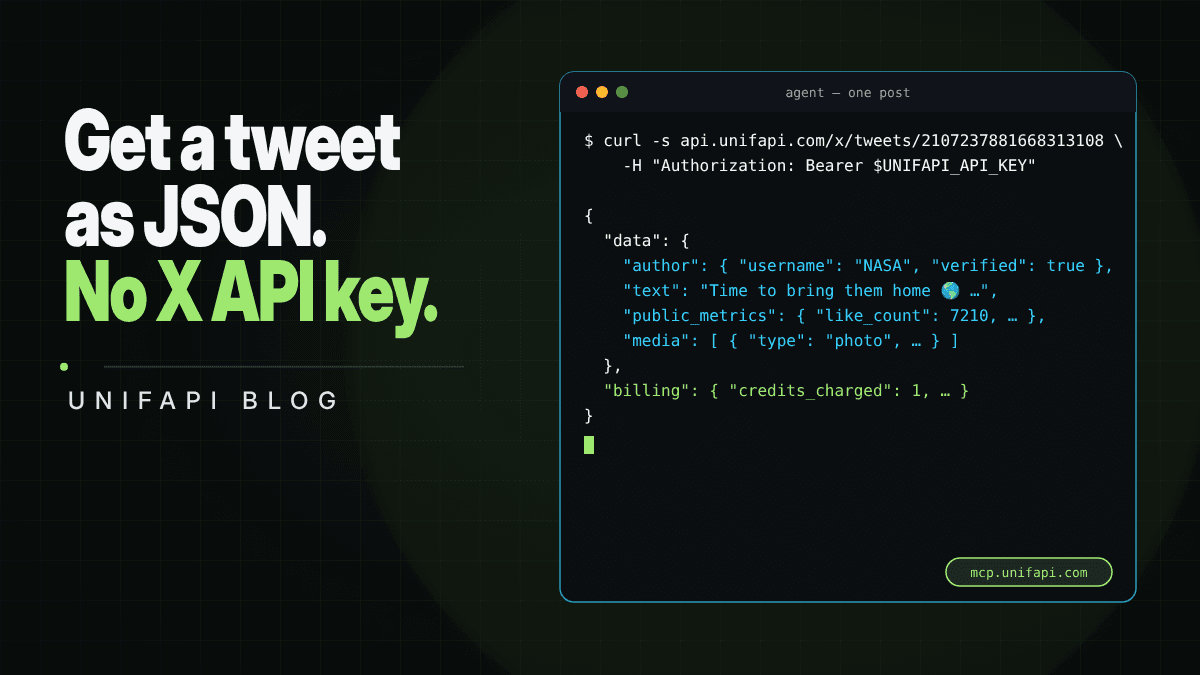
curl -s "https://api.unifapi.com/x/tweets/2107237881668313108" \
  -H "Authorization: Bearer $UNIFAPI_API_KEY"
{
  "request_id": "…",
  "data": {
    "id": "2107237881668313108",
    "text": "Time to bring them home 🌎\n\nAfter nearly eight months aboard the @Space_Station, the four members of Crew-12 will soon head back to Earth…",
    "author_id": "11348282",
    "created_at": "Mon Oct 05 22:33:56 +0000 2026",
    "lang": "en",
    "public_metrics": {
      "like_count": 7210,
      "retweet_count": 846,
      "reply_count": 262,
      "quote_count": 60,
      "bookmark_count": 197,
      "impression_count": 2823329
    },
    "author": {
      "id": "11348282",
      "name": "NASA",
      "username": "NASA",
      "verified": true,
      "public_metrics": { "followers_count": 92373840 }
    },
    "media": [
      {
        "media_key": "…",
        "type": "photo",
        "url": "https://pbs.twimg.com/media/HT5pcNwXwAAKdoM.jpg",
        "width": 2048,
        "height": 1365
      }
    ]
  },
  "billing": {
    "credits_charged": 1,
    "records_charged": 1,
    "balance_remaining": 1999,
    "truncated_due_to_balance": false
  }
}
The path takes the numeric id, the digits after /status/ in a post URL. To pull out the same fields as the FxTwitter example, pipe it through jq '.data | {text, likes: .public_metrics.like_count, views: .public_metrics.impression_count, created_at}'. The quoted post is not expanded; if you need it inline, FxTwitter does that. To get a key, sign in, top up, and create a key; the Connect button on the viewer page does all three in one flow.
Three properties matter for agents:
- The envelope is shared. Every operation answers with
data,billing, and, on lists,pagination, and a post has the same fields (public_metrics.like_count,author.username,media) whether it comes from/x/tweets/{id},/x/tweets/search/recent, or/x/users/{id}/tweets. Replies are a search withquery=conversation_id:2107237881668313108. A prompt that readspublic_metrics.like_counton one of them works on all of them. - The cost and the limit are printed. Every response carries
billing.credits_chargedandbilling.balance_remaining: one post is 1 credit, a 20-post search page is 20 credits ($0.02), and there is no subscription. The per-key rate limit, 60 requests per minute by default, comes back inRateLimit-*andX-RateLimit-*headers. - Errors are typed. A missing or invalid key is
unauthorized(401), a deleted post isnot_found(404), and an empty balance isinsufficient_credits(402) with a top-up link, all in the shape{ "error": { "type": "not_found", … } }. An agent can branch onerror.typewithout parsing a message.
Parameters and response schemas for every X operation are on the X / Twitter API page and in the full spec at https://api.unifapi.com/openapi.json. Setup for Claude, ChatGPT, Cursor, Codex and other MCP clients is on the MCP page.
Which one to use
- One post, in a bot that unfurls links: FxTwitter. It is what it was built for.
- A cross-check that a post's text is what X serves: the syndication endpoint.
- One post for a person, by hand: the X post viewer, free in the browser with no login.
- A post that is step one of something larger (read it, then read its replies, then search for reactions, then look at who replied), run by an agent:
call_apion the UnifAPI MCP server, because the next steps exist and share the shape, and the sign-in is OAuth with no key to paste. - The same from your own code, or at volume: the X / Twitter API with a workspace key, 1 credit per post and pay as you go. The field names match what the MCP server returns, so the prompt does not change.
FAQ
Do I need a Twitter developer account to read a public tweet?
No. The four keyless endpoints in this post answer without one, and UnifAPI's paid path needs a UnifAPI key or an MCP sign-in, not an X developer account. The official API is what you need for writing, for private data, and for guaranteed throughput.
Is scraping x.com directly an option?
Not with curl. x.com/NASA/status/<id> returns a 147 KB HTML shell; the post is rendered by JavaScript after the page loads. You would need a headless browser, which is slower, costs more, and breaks when the markup changes.
Can UnifAPI read posts that are not public?
No. The viewer and the API read public posts only and never bypass X's privacy settings. A deleted post returns not_found.
What is the free limit, and what does a post cost from code?
The free limit is for people in a browser: the X viewer pages allow 20 lookups per 10 minutes per visitor across all of them (a search counts as two), with no login or account. The Connect button on any viewer switches that page to pay as you go, with no cap. Scripts and agents have no free tier: through the MCP server or the API, one post is 1 credit ($0.001) and a 20-post search page is 20 credits ($0.02), paid from prepaid Workspace Credits with no subscription.