
AI agent context management in 2026: rules, skills, MCP, subagents, and hooks
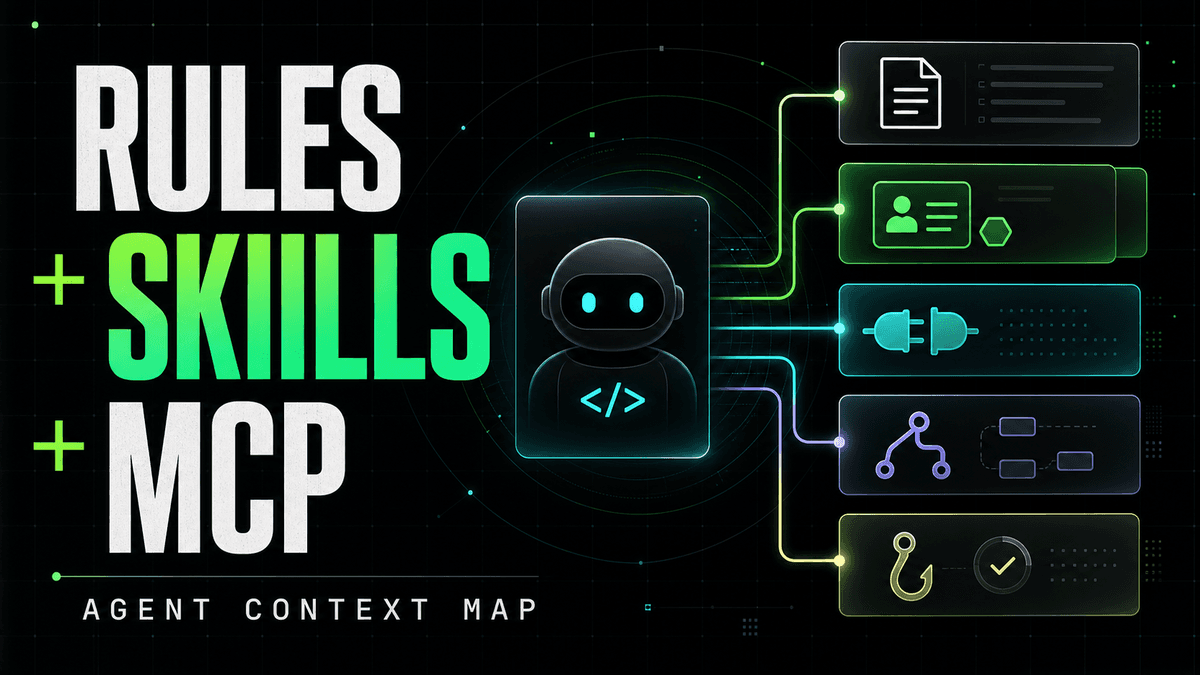

AI agent context in 2026: rules vs skills, MCP servers, commands, subagents and hooks — and the simpler setup most operators actually need.
In short: most of the new agent vocabulary is just different ways to answer two questions: what should the assistant remember up front, and what should it load or call only when the task needs it?
The agent ecosystem has collected a lot of nouns very quickly: rules, commands, MCP servers, tools, modes, hooks, subagents, and skills. Each one solves a real problem. Taken together, they can make a simple question feel strangely hard: "How do I give this assistant the right context without turning every run into a pile of setup?"
You do not need to memorize the whole stack to use agents well. The useful mental model is smaller:
- Static context is what the assistant should know before it starts.
- Dynamic context is what the assistant can discover, load, or call when the task actually needs it.
- Deterministic guardrails are the checks you want to happen the same way every time.
Most agent operators can stop there. Builders need the rest of the vocabulary so they can package the experience cleanly.
Quick answer for 2026
AI agent context management is the practice of deciding what an assistant should know before a task starts and what it should discover only when needed. In 2026, the cleanest split is:
- use rules for stable, always-relevant instructions;
- use skills for reusable task workflows that can be loaded on demand;
- use MCP servers for live tools, data, OAuth, and external systems;
- use hooks for deterministic checks around tool use or edits;
- use subagents and modes only when the workflow needs isolation, parallelism, or a visibly different operating state.
For most teams, the practical setup is not "learn every agent abstraction." It is "keep rules small, install the right skills, connect one MCP server, and let the assistant load the rest dynamically."
The simple model
| Concept | Plain-English job | Use it when | Avoid it when |
|---|---|---|---|
| Rules | Always-on or conditionally loaded instructions | The assistant keeps making the same repo, style, or domain mistake | You are encoding a long procedure that is only relevant sometimes |
| Commands | A repeatable prompt you invoke directly | The workflow is explicit: commit, review, summarize, make a release note | The assistant should decide when to use it |
| Skills | A loadable workflow package | You want reusable task knowledge, examples, scripts, or references without loading everything up front | It is a tiny preference that belongs in rules |
| MCP servers | Live tools and data behind a connector | The assistant needs external systems, OAuth, live records, or API calls | You only need static instructions |
| Tools | The actual callable actions | The assistant must search, read, edit, fetch, or call an API | The task is pure writing or reasoning |
| Subagents | Separate worker contexts | The task is large, parallel, or benefits from isolated focus | The task is small enough for the main assistant |
| Modes | A visible operating state | The UI needs to distinguish planning, coding, review, or restricted behavior | A normal instruction would be enough |
| Hooks | Deterministic scripts around agent events | You need repeatable checks before or after tool use, edits, prompts, or sessions | You are trying to teach judgment that belongs in the model's instructions |
The trap is treating these as eight unrelated products. They are really layers in one context-management story.
Rules vs skills vs MCP
The highest-intent search question is usually not "what is every agent feature?" It is "where should this context go?" Here is the short answer.
| Question | Best answer | Why |
|---|---|---|
| What should the agent always remember? | Rules | They are stable context loaded before work begins. |
| How do I package a repeatable workflow? | Skills | They keep procedural instructions discoverable without bloating every prompt. |
| How does the agent get live data or use external tools? | MCP | It gives the assistant a callable connector with auth and tool metadata. |
| How do I force a check every time? | Hooks | They run deterministically around events instead of hoping the model remembers. |
That split matters because context is now a product surface. A crowded prompt makes the assistant slower and less reliable. A well-packaged workflow lets the assistant start small, then load the relevant skill, tool schema, or evidence source when the job calls for it.
The real search intent
People searching for "rules vs skills vs MCP" or "Claude Code skills subagents hooks" are usually not asking for protocol trivia. They are trying to decide where to put something they already have:
- a long
AGENTS.md,CLAUDE.md, or Cursor rules file; - a prompt they keep reusing;
- a shell script or checker they want the assistant to run;
- an MCP server with too many tools;
- a team workflow they want every agent client to share;
- an install path that non-engineers can follow without reading five docs pages.
That means the article has to answer both layers. First, define the terms. Then show the routing decision: rules for durable context, skills for workflows, MCP for live capabilities, hooks for deterministic events, and subagents for isolated work.
The 2026 vocabulary map
Different clients use slightly different labels, but the underlying jobs are converging.
| Layer | Cursor-style term | Claude Code-style term | Codex / cross-agent term | What it means |
|---|---|---|---|---|
| Persistent project guidance | Rules | CLAUDE.md / settings guidance | AGENTS.md | Always-on or project-scoped instructions |
| Explicit reusable prompt | Commands | Slash commands | Commands / saved prompts | A user-triggered prompt macro |
| Reusable workflow package | Skills | Skills | Skills / SKILL.md | Loadable task instructions, often with scripts or references |
| External tools and data | MCP | MCP servers | MCP servers | Standard connector for tools, resources, prompts, and auth |
| Callable operation | Tool | Tool | Tool | The action the model can invoke |
| Isolated worker | Subagent | Subagent / agent | Subagent / worker | A separate context for parallel or focused work |
| Operating state | Mode | Permission/output style/state | Mode / profile | A visible behavior and permission state |
| Deterministic automation | Hooks | Hooks | Hooks / event handlers | Code that runs around agent events |
| Bundled distribution | Extension / rules import | Plugin | Plugin / package | A way to install several of the above together |
This is why the vocabulary feels noisy: each platform exposes a slightly different slice of the same control plane. The useful question is not "which term is universal?" The useful question is "what is the job of this context?"
Why rules came first
Early coding-agent workflows needed a place to put things the model should not forget. Repo conventions, business rules, test commands, package-manager preferences, naming constraints, "do not hand-edit generated files" - these belong in a file the assistant sees often.
That is the job of rules. In many tools this looks like AGENTS.md, project rules, memory files, or workspace instructions. The strength of rules is reliability: they are there before the assistant starts guessing. The weakness is cost: if the file grows into a handbook, every conversation starts with a handbook, even when the task only needs one paragraph.
Good rules are short, durable, and high-signal. They should describe constraints that are true across many tasks:
- what not to break;
- where the source of truth lives;
- which commands verify common changes;
- product language the assistant must preserve;
- recurring mistakes the team has already seen.
Bad rules try to become a manual for every possible task. That creates static context bloat: more tokens, more conflicting instructions, and more room for the model to anchor on irrelevant details.
Why commands appeared
Once teams started using agents for real work, the next need was obvious: "I run this same prompt every week. Can I package it?"
That is a command. A command is usually a prompt you call explicitly, often with a slash command or menu item. It is great for workflows where the user knows exactly when the procedure should run:
- draft a PR description;
- prepare a changelog;
- run a release checklist;
- summarize the current diff;
- create a migration plan;
- turn a support thread into an issue.
Commands are not really "context" in the always-on sense. They are reusable work instructions. If a rule is a sticky note on the assistant's desk, a command is a button you press.
Commands vs skills
Commands and skills overlap because both can start as Markdown instructions. The difference is usually the trigger and the amount of supporting material.
| Pattern | Prefer a command | Prefer a skill |
|---|---|---|
| Trigger | The user knows when to run it | The assistant can decide it is relevant |
| Scope | One narrow action | A reusable workflow with judgment |
| Context size | Short prompt | Instructions plus optional references, scripts, or assets |
| Example | "Draft a PR description" | "Run an SEO audit and return a sourced fix plan" |
| Distribution | Useful as a shortcut | Useful as a portable capability |
If a workflow is only a button, keep it a command. If it teaches the assistant how to perform a task and may need examples, templates, scripts, or reference docs, make it a skill.
Why MCP servers changed the shape
Rules and commands are text. Agents also need capabilities.
MCP, the Model Context Protocol, gives an assistant a standard way to connect to external tools and data. Instead of hard-coding one integration per client, an MCP server exposes a tool surface that a compatible assistant can call.
That matters for three reasons:
- Live data: the assistant can read current records instead of relying on memory.
- OAuth and authorization: the user can sign in to the service behind the connector.
- Shared integration shape: the same server can support multiple MCP-capable clients.
But MCP also introduced a context problem. If every connected server exposes dozens of tools with long descriptions, the assistant can spend too much context just learning what tools exist. Cursor's dynamic context work describes this exact pressure: load less up front, then let the agent look up the relevant tool or skill when it needs it.
That is the important shift: MCP is not "more prompt." MCP is a way to give the assistant capabilities without forcing all tool details into the first message.
MCP tools, resources, and prompts
MCP is often described as "tools for agents," but the protocol is broader than a button the model calls. An MCP server can expose several kinds of context:
| MCP surface | Plain-English meaning | Good fit |
|---|---|---|
| Tools | Model-invoked actions with input/output schemas | Search, fetch records, create an issue, query a database |
| Resources | Context the client can read and pass to the model | Documents, files, schemas, logs, repository metadata |
| Prompts | Reusable prompt templates supplied by the server | Guided workflows that need server-side context |
| Auth metadata | How the client should authenticate | OAuth, scopes, protected resource metadata |
For most product copy, "MCP server" is enough. For builders, the distinction matters: not every piece of context should be a callable tool. Static reference material may belong in a resource or skill reference file. A live, user-authorized operation belongs in a tool.
Why skills are becoming the center
Skills sit between instructions and code.
A skill can be a compact runbook: "When the user asks for a KOL pricing estimate, collect these public signals, apply these confidence rules, and return this table." It can also include scripts, reference files, assets, templates, and examples. The point is not that every skill is fancy. The point is that a skill can be discovered and loaded when relevant, instead of sitting in every prompt forever.
That makes skills the cleanest answer for procedural knowledge:
- Rules say what must always be true.
- Skills say how to do a repeatable job.
- MCP supplies live tools and data when the job needs evidence.
For UnifAPI, this distinction is the product architecture. A marketer should not start by asking which endpoint to call. They should start from a task: SEO audit, AI visibility check, creator shortlist, competitor brief, content opportunity research, or local-pack scan. The UnifAPI Skill gives the assistant the workflow. The UnifAPI MCP server gives it public-data operations. The user gets an evidence-backed brief.
Related UnifAPI guides go deeper on the product layers:
- The Agent First architecture explains how Agents, Skills, MCP, and APIs fit together.
- SKILL.md runbooks for marketing agents explains why task workflows belong in loadable runbooks.
- Distributing Agents with Skills and MCP explains how plugin-style install bundles the workflow and connection path.
Where subagents fit
Subagents are useful when a single conversation needs multiple focused workstreams.
For example, one worker can inspect the current API contract while another reads docs, another checks a UI path, and the main assistant coordinates the result. That isolation can be valuable because each worker gets a smaller, more focused context window.
The trade-off is overhead. Subagents have to start, gather context, run tools, and report back. They can cost more tokens and time than just asking the main assistant to do the work. They are best for complex or parallel work, not for every small task.
In practice, most operators do not need to create subagents manually. A good agent client can decide when a task should be delegated or parallelized. If you are packaging a product experience, subagents are an implementation tool, not a thing the user should have to learn first.
Where modes fit
Modes make agent behavior visible.
A planning mode might restrict writes, bias toward questions and architecture, and show plan controls. A build mode might allow edits and test runs. A review mode might prioritize findings and line references. The mode is not just a prompt; it is often a bundle of instructions, tool permissions, UI affordances, and reminders.
Modes are useful when the user's intent changes the allowed behavior. They are less useful when they become another taxonomy the user must understand before getting work done.
Where hooks fit
Hooks are deterministic. That is the key difference.
An assistant might remember to run tests. A hook can always run a check after a file edit. An assistant might remember not to call a dangerous command. A hook can intercept the command before it runs. An assistant might summarize a session. A hook can persist metadata at session end.
Use hooks for things that should happen the same way regardless of the model's mood:
- block or ask before sensitive tool use;
- format files after edits;
- capture transcripts or metrics;
- enforce policy before shell or MCP execution;
- trigger a follow-up check when a subagent finishes.
Do not use hooks as a substitute for task knowledge. A hook can enforce, log, or transform. A skill should explain the work.
The operator view: stop at two ideas
If you are using an agent to get work done, you can compress the vocabulary:
| User question | Concept you actually need |
|---|---|
| "What should my assistant always know?" | Rules |
| "How do I run this task reliably?" | Skills |
| "How does it get live data?" | MCP |
| "How do I make setup simple?" | A plugin, connector, or one-click install |
Everything else is usually behind the scenes.
That is why the latest UnifAPI MCP setup page is built around "pick your agent," not "learn the protocol." It shows the supported client path first:
- Claude and ChatGPT custom MCP apps use connector-style setup with OAuth.
- Claude Code, OpenClaw, and Hermes can install a plugin that brings Skills and the public-data MCP together.
- Cursor, VS Code, and other clients can use their supported MCP configuration or deep-link path.
The user should not have to decide whether a workflow is "rules plus commands plus MCP plus maybe a subagent." They should choose the assistant they already use, connect once, and run the marketing agent or skill they need.
A migration example
Suppose your team has one huge project instruction file:
AGENTS.md / CLAUDE.md
- package manager rules
- product positioning
- "how to run SEO audits"
- "how to price KOLs"
- MCP setup notes
- API endpoint descriptions
- release checklist
- "always run lint after editing"
- browser troubleshooting notes
That file is trying to be five different things. A cleaner 2026 split looks like this:
| Existing content | Better home | Why |
|---|---|---|
| Package manager, generated-file policy, repo source-of-truth notes | Rules / AGENTS.md | They are durable and broadly relevant |
| SEO audit, KOL pricing, creator shortlist workflows | Skills | They are repeatable task procedures |
| Live SEO, Reddit, YouTube, LinkedIn, Browser, and GEO data calls | MCP server | They need current data and auth |
| Release checklist | Command or skill | Command if user-triggered; skill if the assistant should route to it |
| "Always run lint after editing TypeScript" | Hook or rule | Hook if it must always happen; rule if it is guidance |
| Broad competitor research in parallel | Subagent pattern | It benefits from isolated context |
| Browser troubleshooting notes | Skill reference file | Useful only when that workflow needs it |
The win is not just tidiness. The assistant starts with less irrelevant text, the workflow is easier to update, and the user can install or run the right unit without understanding every layer.
The builder view: package the complexity
If you are building an agent product or internal agent stack, the vocabulary matters because each layer has a job:
| Layer | Builder responsibility |
|---|---|
| Rules | Keep always-on context minimal and correct |
| Skills | Package repeatable workflows as discoverable, loadable units |
| MCP | Expose live tools and data with a stable auth path |
| Tool metadata | Make operations easy for the assistant to inspect and call |
| Subagents | Use isolation or parallelism only where it pays for itself |
| Modes | Match permissions and UI to user intent |
| Hooks | Enforce deterministic checks and governance |
The product problem is not "support every abstraction." The product problem is making the right abstraction disappear at the right time.
For UnifAPI, that means:
- Agents are the user-facing role. SEO Agent, AI Visibility Agent, Content Strategy Agent, and Competitive Intelligence Agent describe the job.
- Skills are the workflow package. Each one is a
SKILL.mdrunbook with the task, boundaries, output shape, and evidence rules. - MCP is the connection path. The assistant gets
list_operations,get_operation, andcall_api, instead of a huge flat pile of endpoint-specific tools. - APIs are the evidence layer. SEO, GEO, Browser, social, news, and company records stay structured and citable.
- The MCP setup page hides setup friction. Pick the client, follow the steps, sign in with OAuth, and run a first prompt.
That is the point of agent context management: not more ceremony, but less repeated explanation.
Common mistakes
| Mistake | Why it hurts | Better pattern |
|---|---|---|
| One giant rules file | Every task inherits irrelevant context | Keep rules short; move procedures into skills |
| A skill for every tiny preference | The skill catalog becomes noisy | Use rules for durable preferences |
| MCP server exposes dozens of broad tools | Tool descriptions bloat context and confuse routing | Keep tools task-shaped, inspectable, and grouped |
| Hooks encode hidden product judgment | Deterministic code cannot replace task reasoning | Use hooks for checks; use skills for judgment |
| Too many generic subagents | Delegation becomes slower and vague | Add subagents only for clear isolated roles |
| Commands become undocumented team rituals | The workflow is hard to discover or port | Promote mature commands into skills |
| Setup starts with protocol theory | Operators abandon before first useful run | Lead with client-specific install paths |
For a public product, the last mistake is the most expensive. Users searching for MCP, skills, or agent context are already confused. The page should explain enough to build trust, then route them into the fastest working setup.
A practical decision checklist
Use this checklist when you are deciding where a piece of agent context belongs.
| If the content is... | Put it in... | Example |
|---|---|---|
| Always true and short | Rules | "Generated OpenAPI files are downstream artifacts; edit route metadata instead." |
| A repeatable task procedure | Skill | "Run a local SEO rank audit and return a competitor table." |
| A user-invoked macro | Command | "Prepare a PR summary from the current diff." |
| A live external capability | MCP server | "Fetch current SERP, Reddit, LinkedIn, or YouTube records." |
| A deterministic safety check | Hook | "Block commands that would mutate production." |
| A separate research lane | Subagent | "Inspect three competitors in parallel and report evidence." |
| A visible behavior state | Mode | "Plan only; do not edit files." |
When in doubt, ask two questions:
- Does the assistant need this on every task?
- Can the assistant discover or load it only when the user asks for that kind of work?
If the answer to the first is yes, keep it as a rule. If the answer to the second is yes, make it dynamic: a skill, a tool lookup, or an MCP operation.
Why this matters for SEO, GEO, and marketing agents
Marketing workflows expose the problem quickly. A useful SEO or AI-visibility agent needs both task knowledge and live evidence:
- It needs to know how to structure an audit.
- It needs current search, AI-answer, backlink, local, social, and page evidence.
- It needs to cite sources and separate observed records from recommendations.
- It should run inside the assistant the operator already uses.
Putting all of that into a giant prompt would be brittle. Asking a marketer to wire ten tools by hand would be worse. The better shape is:
- choose an Agent or Skill;
- connect UnifAPI once through the MCP setup page;
- let the assistant load the workflow and call public-data operations as needed;
- pay for returned records, not another LLM subscription or a dashboard seat.
That is why the concepts matter, but the setup should feel simple.
How to make the page citation-friendly
For AI search and answer engines, structure matters because a model may quote a paragraph without the surrounding page. This article uses a few patterns deliberately:
- direct definition blocks near the top;
- comparison tables for "rules vs skills vs MCP" queries;
- H2 headings that match common search phrases;
- short FAQ answers that can stand alone;
- primary references to official docs instead of only commentary posts;
- internal links to deeper UnifAPI guides and the MCP setup page.
That is also the product lesson. If your agent workflow is hard for a human to skim, it will be hard for an assistant to retrieve and apply. Good agent context is modular, named clearly, and easy to cite.
FAQ
What is agent context management?
Agent context management is how you decide what information, instructions, tools, and memories an AI assistant should receive for a task. Good context management keeps durable guidance in rules, repeatable procedures in skills, live data behind MCP, and deterministic checks in hooks.
Are skills replacing rules?
No. Skills are better for procedural workflows that are only relevant sometimes. Rules are still the right place for short, durable instructions the assistant should always consider.
Is MCP the same thing as a skill?
No. A skill tells the assistant how to perform a task. MCP gives the assistant live tools or data it can call while performing that task. Many useful workflows need both: the skill provides the method, and MCP provides current evidence.
Do I need subagents?
Usually not at first. Subagents are useful for isolated or parallel work, but most operator workflows should start with a clear skill and one connected MCP server.
What should stay in AGENTS.md or CLAUDE.md?
Keep durable project guidance there: repo layout, source-of-truth files, generated-file policy, verification commands, product language, and recurring mistakes. Move long task procedures into skills.
Should MCP replace direct APIs?
No. MCP is an agent-facing connection path. Direct HTTP APIs are still the right production interface for applications, backends, dashboards, and systems that need explicit request control. Many products should expose both.
How long should agent rules be?
As short as possible while still preventing repeated mistakes. If a section only matters for one task, one platform, or one troubleshooting flow, it probably belongs in a skill, reference file, or docs page instead of always-on rules.
What is the best first setup for a non-developer?
Pick the assistant they already use, install the plugin or connector, sign in with OAuth, then run a concrete skill. The user should see a useful result before learning the full vocabulary.
The bottom line
The agent world is not actually eight concepts deep for everyday use. It is one context problem with several implementation layers.
Rules are for stable memory. Skills are for repeatable work. MCP is for live capabilities. Hooks are for deterministic control. Subagents and modes are useful when the task or UI genuinely needs them.
For everyone else, the right product should compress the vocabulary. Pick your assistant. Connect once. Run the workflow.
That is the direction UnifAPI is moving with the MCP setup page: Skills plus live public data in one path, so the operator does not have to care whether the underlying stack used rules, commands, tools, hooks, or subagents to make the answer reliable.
Primary references
- Cursor, Dynamic context discovery.
- Cursor Docs, Agent Skills.
- Cursor Docs, Subagents.
- Cursor Docs, Hooks.
- Cursor Docs, Model Context Protocol.
- Claude Code Docs, Extend Claude Code.
- Claude Code Docs, Hooks reference.
- Model Context Protocol, Introduction.
- Model Context Protocol, Tools specification.
- Agent Skills, open standard.
- UnifAPI, connect your agent with MCP.