
How to add an MCP server to Claude: Claude.ai, Claude Desktop and Claude Code
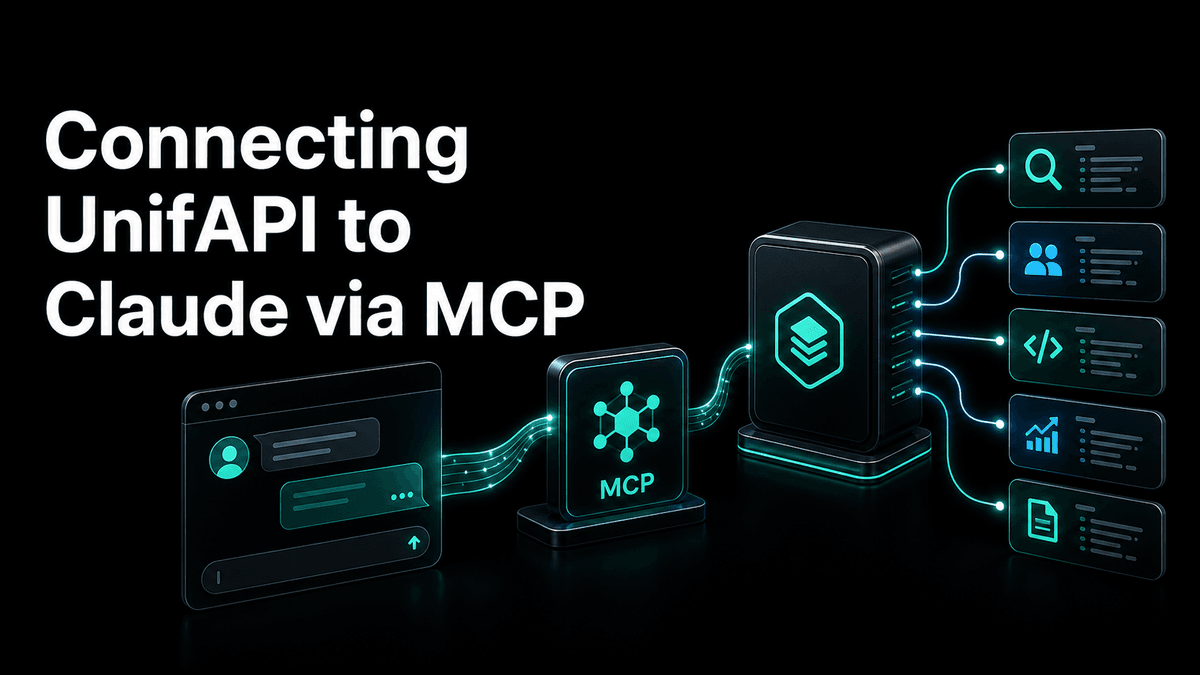

Add an MCP server to Claude on Claude.ai, Claude Desktop and Claude Code: custom connectors, claude_desktop_config.json and claude mcp add, step by step.
In short: Claude has three ways to add an MCP server, and which one you use depends on where Claude is running. On Claude.ai and in Claude Desktop, a remote server is a custom connector: paste its URL under Settings → Connectors and sign in when asked. In Claude Desktop, a local server (a program on your machine) goes into
claude_desktop_config.json. In Claude Code, everything goes through one command:claude mcp add. This guide walks through all three with the UnifAPI MCP server (https://mcp.unifapi.com) as the worked example, then shows how to check that the tools actually load.
"Claude MCP" is one search, but it covers four surfaces that store their settings in different places: the Claude.ai web and mobile apps, the Claude Desktop app, Claude Code in the terminal, and Claude Code inside VS Code or JetBrains. The server you add is the same; the steps are not. Pick your row first.
Which Claude are you adding it to?
| Where Claude runs | How you add a server | What it supports |
|---|---|---|
| Claude.ai (web, iOS, Android) | Settings → Connectors → Add custom connector | Remote servers (a URL), OAuth sign-in |
| Claude Desktop (macOS, Windows) | Same Connectors screen for remote servers; claude_desktop_config.json for local ones | Remote (URL) and local (a command Claude launches) |
| Claude Code (terminal) | claude mcp add …, or edit .mcp.json for a project | Remote HTTP, SSE and local stdio servers; OAuth via /mcp |
| Claude Code in VS Code / JetBrains | Type /mcp in the chat panel, or run claude mcp add in the integrated terminal | Same configuration as the terminal |
Two terms you will meet in every client's docs:
- A remote server is a URL (
https://…). The vendor hosts it; you authenticate with OAuth in your browser or with a bearer token. Nothing runs on your machine. - A local server (also "stdio") is a program Claude starts for you, usually with
npxoruvx. It runs on your machine and talks to Claude over standard input and output.
UnifAPI is a remote server, so the connector path is the one to use on Claude.ai and Claude Desktop. The claude_desktop_config.json section below is here for local servers, because that is the half of "claude mcp" questions the connector screen does not answer.
Claude.ai and Claude Desktop: add a custom connector
Custom connectors are the supported way to add a remote MCP server to the Claude apps. The same connector is available across the web app, the mobile apps and Claude Desktop once it is connected.
Fastest path: add UnifAPI to Claude in one click. The link opens Add custom connector with the name and URL already filled in, so you can skip steps 1 to 3. Check the values, click Add, and carry on from step 4.
- Open Settings → Connectors (on the web: your initials → Settings → Connectors; in Claude Desktop: Settings → Connectors).
- Scroll to the bottom and choose Add custom connector.
- Give it a name you will recognise in the tool list, such as
UnifAPI, and paste the server URL:https://mcp.unifapi.com. - Click Add, then Connect. Claude opens the server's OAuth sign-in in your browser. Sign in or create a UnifAPI account, and approve the read-only scope.
- Back in Claude, open the connector's settings to toggle which tools the model may use, then start a new chat. The connector is now in the tools menu (the sliders icon under the message box).
A few things that catch people:
- Custom connectors are a paid-plan feature. On Team and Enterprise plans an owner may need to enable them, or add the connector for the whole organisation, before members see Add custom connector.
- Remote connectors are brokered through Anthropic's cloud, so the server has to be reachable from the public internet.
https://mcp.unifapi.comis; a server running onlocalhostis not, which is why local servers use the config file instead. - If a connector keeps asking you to sign in, remove it and add it again. Tokens are per connector, and a stale one is faster to replace than to debug.
Claude Desktop: local servers in claude_desktop_config.json
Claude Desktop can also launch MCP servers on your machine. These do not go through Connectors; they are declared in a JSON file that Claude reads on startup.
The file lives at:
- macOS:
~/Library/Application Support/Claude/claude_desktop_config.json - Windows:
%APPDATA%\Claude\claude_desktop_config.json
Settings → Developer → Edit Config opens the right file and creates it if it does not exist. Each entry under mcpServers is a command Claude runs. The reference filesystem server from the MCP project looks like this:
{
  "mcpServers": {
    "filesystem": {
      "command": "npx",
      "args": ["-y", "@modelcontextprotocol/server-filesystem", "/Users/you/Desktop"]
    }
  }
}
Save the file and fully quit and reopen Claude Desktop (closing the window is not enough on macOS). The server's tools appear under the tools icon in a new chat. If nothing shows up, the usual causes are that npx is not on the PATH Claude Desktop sees, or the JSON has a trailing comma. The app's Developer settings have a log viewer that shows the server's startup output.
You cannot put a remote URL in this file directly; the config launches processes. If a remote server offers no connector path, a bridge such as mcp-remote can be the command, but for a server like UnifAPI the Connectors screen is simpler and keeps OAuth in the browser where it belongs.
Claude Code: claude mcp add
Claude Code stores MCP servers per scope, and the command is the same for remote and local servers.
Add the UnifAPI server over HTTP:
claude mcp add --transport http unifapi https://mcp.unifapi.com
By default this is local scope: available to you, in the current project only. Two other scopes exist:
# Available to you in every project
claude mcp add --transport http --scope user unifapi https://mcp.unifapi.com

# Shared with everyone who clones the repo, written to .mcp.json in the project root
claude mcp add --transport http --scope project unifapi https://mcp.unifapi.com
Project scope writes a .mcp.json you can commit:
{
  "mcpServers": {
    "unifapi": {
      "type": "http",
      "url": "https://mcp.unifapi.com"
    }
  }
}
Claude Code asks for approval before it uses a project-scoped server for the first time, so a teammate cloning the repo cannot be surprised by a tool they did not add.
Then, inside Claude Code, type /mcp. The dialog lists every configured server with its status. For an OAuth server such as UnifAPI it offers Authenticate, opens the sign-in in your browser, and shows Connected once the token is stored. The same /mcp dialog works in the VS Code extension, where it can also add and remove servers.
Useful companions:
claude mcp list              # every server and whether it connects
claude mcp get unifapi       # one server's configuration
claude mcp remove unifapi    # remove it from whichever scope holds it
A local stdio server takes the command after --, and a remote server that wants a static token takes --header:
claude mcp add --transport stdio filesystem -- npx -y @modelcontextprotocol/server-filesystem ~/Projects
claude mcp add --transport http example https://mcp.example.com --header "Authorization: Bearer $EXAMPLE_TOKEN"
UnifAPI accepts a bearer token too (a workspace API key), but prefer OAuth: no key to paste into a config file, and the token is scoped read-only.
Check that the tools actually load
Adding a server and the model using it are two different things. Before your first real task:
- On Claude.ai or Desktop, open the tools menu under the message box. The connector should be listed with its tools enabled. For UnifAPI you will see three:
list_operations,get_operationandcall_api. - In Claude Code,
/mcpshould show Connected, and the server's tools appear under themcp__unifapi__prefix in the tool list. - Ask a question that can only be answered with a tool, and watch for the tool-use block. For UnifAPI: "List the UnifAPI operations for Reddit." If Claude answers from memory without calling a tool, say "use the UnifAPI MCP tools" once; after that it tends to reach for them on its own.
A first task on the UnifAPI server
UnifAPI exposes live public data from X, Instagram, TikTok, YouTube, Reddit, LinkedIn, Threads and the SEO stack through one catalog. Instead of one tool per endpoint, the server gives Claude three: discover an operation, inspect its schema, call it. A bounded first prompt:
Using the UnifAPI MCP tools, find the 20 most recent public posts about "Claude MCP" on X, then summarise the recurring questions in five bullets with one example post each.
What it costs: UnifAPI bills per public-data record returned, in workspace credits ($0.001 each; most records are one credit, and operations with a higher floor publish it in the catalog). The model tokens are on your Claude plan, not on UnifAPI. A new workspace has no credits until its first top-up, which carries a one-time bonus. Keep the first prompts bounded ("top 20", "last 7 days") so a single run stays a few hundred credits at most.
If you would rather start from a job than from an endpoint, the platform agents wrap the same tools in a ready prompt: X, LinkedIn, Reddit, TikTok, YouTube, Instagram and Threads each have one, and the SEO agent covers rank tracking and AI visibility.
Troubleshooting
| Symptom | Where | What to do |
|---|---|---|
| No Add custom connector button | Claude.ai / Desktop | Your plan or organisation does not allow custom connectors yet; an owner can enable or add them centrally |
| Connector added but no tools in the tools menu | Claude.ai / Desktop | Open the connector's settings and enable its tools, then start a new chat |
| OAuth window never finishes | Any | Pop-ups blocked, or you signed in to a different account than the one that owns the workspace; remove and re-add |
| Server missing after editing the JSON file | Claude Desktop | Validate the JSON (no trailing commas), check the command is on PATH, then fully quit and reopen the app |
/mcp shows Failed | Claude Code | claude mcp get <name> to confirm the URL and transport; for OAuth servers choose Authenticate in the /mcp dialog |
| Tools load but Claude never uses them | Any | Name the server in the prompt once; for UnifAPI ask it to call list_operations first |
A UnifAPI call returns insufficient_credits | Any | The workspace has no credits yet; top up once in the console, then retry the same prompt |
Sources checked
Written on October 14, 2026 against Anthropic's help-center article on connecting MCP servers to Claude.ai, the Claude Code MCP reference, and the Model Context Protocol Claude Desktop quickstart. Menus move; if a step here does not match what you see, those three pages are the source of truth.
What to read next
MCP setup - the current hosted-connector instructions for every client, in one place.
Codex MCP setup - the same server in OpenAI's Codex CLI and IDE extension.
Cursor MCP setup - mcp.json, one-click install links and OAuth in Cursor.
Connect UnifAPI MCP to general and coding agents - the broader onboarding article, including ChatGPT, VS Code, OpenClaw and Hermes.