
AI 에이전트에게 트위터 리더를 쥐여 주세요: Claude, ChatGPT, Codex용 MCP와 도구 정의

업데이트
UnifAPI MCP 서버를 연결하거나 유료 X API용 도구 정의를 붙여 넣으면 Claude, ChatGPT, Codex가 공개 X 프로필, 게시물, 답글, 검색을 읽습니다.
한마디로: 에이전트가 X를 읽으려면 네 가지가 필요합니다. 핸들이나 게시물 링크로 호출할 수 있는 작업, 읽을 수 있는 JSON 본문, 분기할 수 있는 오류, 그리고 볼 수 있는 비용입니다. 이 네 가지를 가장 간단하게 갖추는 방법은 UnifAPI MCP 서버입니다. Claude, ChatGPT, Codex에
https://mcp.unifapi.com을 추가하고 클라이언트가 요청할 때 OAuth로 로그인하면(붙여 넣을 키는 없습니다), 에이전트가call_api로 X를 읽습니다. 요금은 반환된 레코드 하나당 1크레딧($0.001)의 종량제입니다. 에이전트 루프를 직접 돌린다면, 아래에 유료 X API를 호출하는 핸들러와 함께 Anthropic tool use와 OpenAI function calling용 복사해서 쓰는 정의, Claude Code와 Codex용 SKILL.md, 그리고 모델에 필요한 세 가지 규칙을 실었습니다. 페이지를 넘기기 전에 크레딧을 셀 것,Retry-After만큼 쉴 것, 컨텍스트 윈도에 들어가는 내용을 줄일 것.
모델은 이미 X를 읽는 법을 압니다. Claude나 ChatGPT에게 @NASA가 이번 주에 무엇을 올렸는지 물어보면 시도는 합니다. 웹 검색, x.com 가져오기, 어쩌면 학습 데이터에서 꺼낸 Nitter URL까지. 검색은 요약을 돌려주고, 가져오기는 JavaScript 껍데기를 돌려주고, Nitter 인스턴스는 사라졌습니다. 그러면 모델은 추측하거나 사과합니다.
해결책은 더 똑똑한 모델이 아니라, 모델이 호출할 수 있는 작업과 파싱할 수 있는 본문을 가진 도구입니다. 이 글이 그 도구이고, 사람들이 실제로 배포하는 형식으로 담았습니다. 먼저 MCP 서버, 그다음 직접 연결하는 도구입니다.
먼저 MCP 서버를 연결하세요
에이전트가 Claude, ChatGPT, Codex에서 돌아간다면 도구를 직접 작성할 필요가 전혀 없습니다. UnifAPI MCP 서버를 추가하면 에이전트는 도구 세 개를 얻습니다. 카탈로그를 검색하는 list_operations, 작업 하나의 파라미터를 읽는 get_operation, 그 작업을 실행하는 call_api입니다. Cursor 등을 포함한 클라이언트별 단계는 unifapi.com/mcp에 있습니다. 요약하면 다음과 같습니다.
- Claude: Settings → Connectors → Add custom connector. 이름을 UnifAPI로 지정하고
https://mcp.unifapi.com을 붙여 넣은 뒤, Authentication을 OAuth로 두고 Add한 다음 Connect합니다. - ChatGPT: Plus, Pro, Team, Enterprise 요금제에서 Developer Mode를 켜고(Settings → Connectors → Advanced), Create app을 클릭한 뒤 같은 URL을 MCP Server URL에 붙여 넣고 Authentication을 OAuth로 둡니다.
- Codex:
codex mcp add unifapi --url https://mcp.unifapi.com을 실행하고, 로그인 창이 저절로 열리지 않았다면codex mcp login unifapi를 실행합니다(자세한 내용은 Codex MCP 설정). - Claude Code:
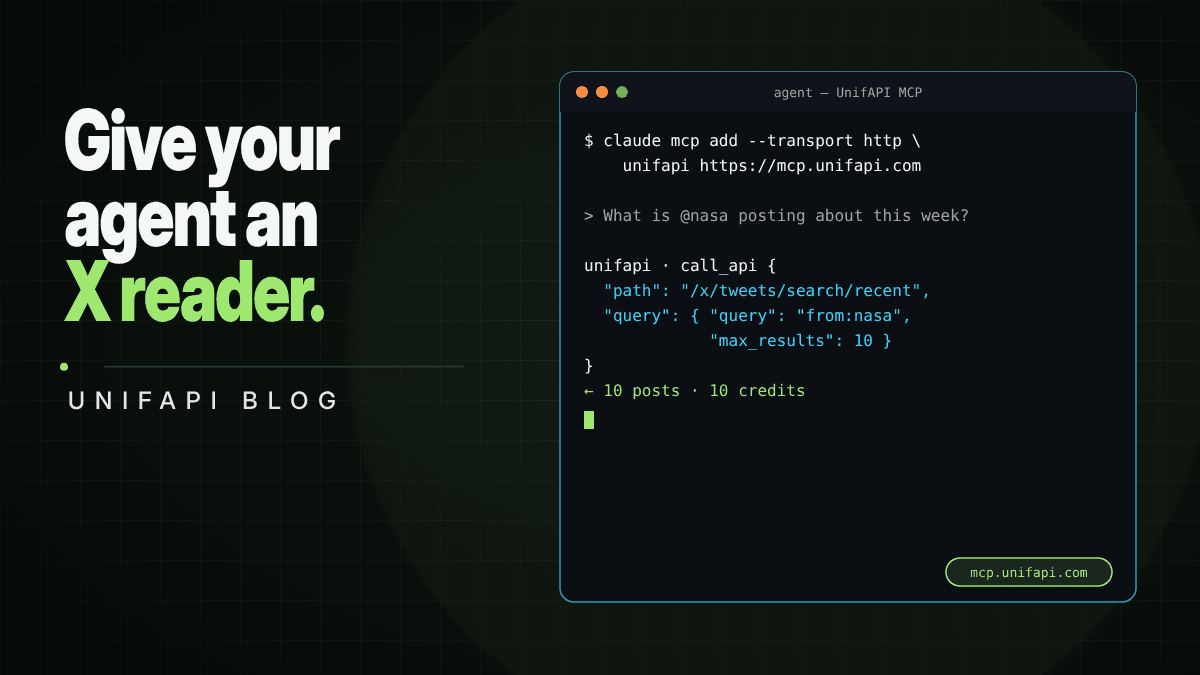
claude mcp add --transport http unifapi https://mcp.unifapi.com을 실행합니다.
클라이언트가 UnifAPI 워크스페이스용 브라우저 로그인을 엽니다. 붙여 넣을 키는 없습니다. 호출은 워크스페이스 크레딧을 쓰며, 쓴 만큼 냅니다. 그다음 평소 말로 물어보면("@NASA가 최근에 사진이나 동영상을 담아 올린 게시물은?") 에이전트가 다음과 같은 호출을 보냅니다.
{
  "path": "/x/tweets/search/recent",
  "method": "GET",
  "query": { "query": "from:nasa filter:media", "max_results": 20 }
}
이 호출은 게시물을 최대 20개 반환하고 비용은 최대 20크레딧($0.02)입니다. 서버에 대한 자세한 내용은 MCP 문서에 있습니다.
X 작업
에이전트가 call_api로 호출하든 직접 만든 핸들러가 HTTP로 호출하든, X 읽기는 유료 X API의 같은 GET 작업입니다(레퍼런스는 unifapi.com/apis/twitter, 전체 스펙은 https://api.unifapi.com/openapi.json).
| 조회 | 작업 | 파라미터 | 반환 |
|---|---|---|---|
| 프로필 | /x/users/by/username/{username} | username(@ 없이) | 숫자 id와 지표가 포함된 프로필 하나 |
| 타임라인 | /x/users/{id}/tweets | max_results(1–100), pagination_token, exclude | 계정의 게시물, 최신순 |
| 게시물 | /x/tweets/{id} | id | 작성자, 미디어, 지표가 포함된 게시물 하나 |
| 미디어 | /x/tweets/search/recent | query=from:<handle> filter:media | 계정의 최근 사진과 동영상 게시물 |
| 답글 | /x/tweets/search/recent | query=conversation_id:<post id> | 게시물에 달린 공개 답글 |
| 검색 | /x/tweets/search/recent | query, max_results(1–100), pagination_token | 최근 게시물. X 검색 연산자 사용 가능 |
| 트렌드 | /x/trends/by/woeid/{woeid} | woeid(1은 전 세계), max_trends(1–50) | 지금 트렌딩 중인 것 |
| 커뮤니티 | /x/communities/search | query | 주제별 X 커뮤니티 |
| 팔로워 | /x/users/{id}/followers, /x/users/{id}/following | max_results(1–100), pagination_token | 계정을 팔로우하는 사람, 또는 계정이 팔로우하는 사람 |
모든 응답은 같은 봉투에 담겨 옵니다.
{
  "request_id": "…",
  "data": [ … ],
  "pagination": { "has_more": true, "next_cursor": "…" },
  "billing": { "credits_charged": 20, "records_charged": 20, "balance_remaining": 1980, "truncated_due_to_balance": false }
}
data는 항목 하나면 객체, 목록이면 배열이고, pagination은 목록에 붙습니다. 다음 페이지는 next_cursor를 pagination_token으로 넘겨 가져옵니다. 필드 이름은 X API v2를 따릅니다. 게시물에는 text, created_at, conversation_id, public_metrics, author가 있고, 사용자에게는 username, description, public_metrics.followers_count가 있습니다. 모든 오류는 { error: { type, message } }이며 타입은 닫힌 집합입니다(unauthorized, insufficient_credits, not_found, rate_limited, upstream_error 외 몇 가지). 모든 HTTP 응답에 RateLimit-*와 X-RateLimit-* 헤더가 실리고, 429에는 Retry-After가 더해집니다.
비용은 반환된 레코드 하나당 1크레딧($0.001)이며, 호출당 최소 1크레딧입니다. 프로필 하나나 게시물 하나는 1크레딧, 프로필과 게시물 10개는 11, 게시물 20개짜리 검색 페이지는 20($0.02)입니다. 구독은 없습니다.
예전에 /tools/x/ 아래의 기존 무료 엔드포인트를 썼다면, 2026년 10월 17일부터 그 URL은 스크립트와 에이전트에 HTTP 402를 반환하고, 본문에 MCP 서버와 각 조회를 대신하는 유료 작업을 알려 줍니다. X 프로필 뷰어 같은 뷰어 페이지는 브라우저에서 계속 무료입니다. MCP 서버(https://mcp.unifapi.com)나 X API로는 반환된 레코드 1건당 1크레딧($0.001), 호출당 최소 1크레딧이 과금되므로 프로필과 최신 게시물 10건에 11크레딧($0.011)이 듭니다.
Anthropic tool use
직접 돌리는 에이전트 루프에서는 같은 읽기가 도구 하나와, 환경 변수에서 읽은 워크스페이스 API 키로 https://api.unifapi.com을 호출하는 핸들러가 됩니다. 키는 api.unifapi.com/sign-in에서 로그인하고, /dashboard/billing에서 충전한 뒤, /dashboard/api-keys에서 만듭니다. 어느 X 뷰어 페이지에나 있는 Connect 버튼을 누르면 이 세 단계를 한 흐름으로 끝낼 수 있습니다.
lookup enum을 가진 도구 하나가 모델에게는 도구 네 개보다 단순하고, 각 조회가 정해진 작업에 대응하므로 모델이 직접 경로를 만들 일이 없습니다. profile은 /x/users/by/username/{username}을 호출하고(posts를 지정하면 /x/users/{id}/tweets도), post는 /x/tweets/{id}를 호출하고, replies는 /x/tweets/search/recent에서 conversation_id:<post id>를 검색하고, search는 같은 검색에 q를 보냅니다.
{
  "name": "read_x",
  "description": "Read public X (Twitter) data through the UnifAPI X API: a profile (optionally with its recent posts), one post, the replies under a post, or a search over recent posts (X operators like from:, since:, min_faves:, filter:media work). Each returned record costs 1 credit ($0.001), minimum 1 per call, so ask for the fewest results that answer the question. Returns JSON with data, pagination and billing. Pass cursor from a previous result to page, only when the answer needs more.",
  "input_schema": {
    "type": "object",
    "properties": {
      "lookup": { "type": "string", "enum": ["profile", "post", "replies", "search"] },
      "handle": { "type": "string", "description": "X handle without the @ (profile)" },
      "posts": {
        "type": "integer",
        "minimum": 0,
        "maximum": 100,
        "description": "Recent posts to include with a profile; 0 for the profile only"
      },
      "id": { "type": "string", "description": "Post ID or x.com status URL (post, replies)" },
      "q": { "type": "string", "description": "Search query; X operators work (search)" },
      "max_results": {
        "type": "integer",
        "minimum": 1,
        "maximum": 100,
        "description": "Page size for replies and search; default 10"
      },
      "cursor": { "type": "string", "description": "next_cursor from a previous result" }
    },
    "required": ["lookup"]
  }
}
핸들러는 인증된 fetch 하나를 감싼 작은 switch입니다.
const API = "https://api.unifapi.com";

type ReadXInput = {
  lookup: "profile" | "post" | "replies" | "search";
  handle?: string;
  posts?: number;
  id?: string;
  q?: string;
  max_results?: number;
  cursor?: string;
};

// A post ID from an ID or an x.com status URL.
const postId = (value = "") => value.match(/status\/(\d+)/)?.[1] ?? value.trim();

async function gateway(path: string, query: Record<string, string | number | undefined> = {}) {
  const qs = new URLSearchParams();
  for (const [k, v] of Object.entries(query)) if (v !== undefined && v !== "") qs.set(k, String(v));
  const res = await fetch(`${API}${path}?${qs}`, {
    headers: { Authorization: `Bearer ${process.env.UNIFAPI_API_KEY}` },
  });
  const body = await res.json();
  if (res.status === 429)
    return { error: body.error, retryAfterSeconds: Number(res.headers.get("Retry-After")) };
  return body; // { data, pagination?, billing } on success, { error: { type, message } } otherwise
}

async function readX(input: ReadXInput) {
  const page = { max_results: input.max_results ?? 10, pagination_token: input.cursor };
  switch (input.lookup) {
    case "profile": {
      const handle = (input.handle ?? "").replace(/^@/, "");
      const profile = await gateway(`/x/users/by/username/${encodeURIComponent(handle)}`);
      if (!input.posts || profile.error) return profile;
      const posts = await gateway(`/x/users/${profile.data.id}/tweets`, {
        max_results: input.posts,
        pagination_token: input.cursor,
      });
      return { profile, posts }; // 1 credit for the profile, 1 per post
    }
    case "post":
      return gateway(`/x/tweets/${encodeURIComponent(postId(input.id))}`);
    case "replies":
      return gateway("/x/tweets/search/recent", {
        query: `conversation_id:${postId(input.id)}`,
        ...page,
      });
    case "search":
      return gateway("/x/tweets/search/recent", { query: input.q, ...page });
  }
}
게이트웨이의 billing 블록을 손대지 않고 모델에게 돌려주는 것은 의도적입니다. 호출할 때마다 credits_charged와 balance_remaining을 보는 모델은 페이지 넘기기를 멈추고 가진 것으로 답하는 데 필요한 정보를 갖게 됩니다.
OpenAI function calling
같은 모양을 OpenAI의 래퍼로 감싼 것입니다.
{
  "type": "function",
  "function": {
    "name": "read_x",
    "description": "Read public X (Twitter) data through the UnifAPI X API. lookup=profile|post|replies|search. Costs 1 credit ($0.001) per returned record, minimum 1 per call: keep max_results small and pass cursor only when the answer needs more. Returns JSON with data, pagination { has_more, next_cursor } and billing { credits_charged, balance_remaining }.",
    "parameters": {
      "type": "object",
      "properties": {
        "lookup": { "type": "string", "enum": ["profile", "post", "replies", "search"] },
        "handle": { "type": "string" },
        "posts": { "type": "integer", "minimum": 0, "maximum": 100 },
        "id": { "type": "string" },
        "q": { "type": "string" },
        "max_results": { "type": "integer", "minimum": 1, "maximum": 100 },
        "cursor": { "type": "string" }
      },
      "required": ["lookup"]
    }
  }
}
위의 readX 핸들러는 그대로 동작합니다. 호출의 arguments 문자열을 파싱해서 객체를 넘기면 됩니다.
Claude Code와 Codex용 SKILL.md
MCP 서버에 연결된 코딩 에이전트는 이미 도구를 갖고 있습니다. 부족한 것은 X를 위해 어떤 작업을 호출하는지, 각 작업에 얼마가 드는지에 대한 지식입니다. 프로젝트 안의 스킬 파일이 그것을 알려 줍니다.
---
name: read-x
description: Read public X (Twitter) profiles, posts, replies, search, trends, communities and followers through the UnifAPI MCP tools (list_operations, get_operation, call_api). Use when a task needs what an account or post says on X.
---

# Reading X

Use the UnifAPI MCP server (https://mcp.unifapi.com, OAuth sign-in, setup at
https://unifapi.com/mcp). Run call_api with method GET and one of these paths; get_operation
on a path lists every parameter.

- /x/users/by/username/{username} one profile; its id feeds the paths below
- /x/users/{id}/tweets max_results, pagination_token, exclude=replies: recent posts
- /x/tweets/{id} one post
- /x/tweets/search/recent query=conversation_id:<post id> replies under a post
- /x/tweets/search/recent query=from:nasa filter:media, max_results: search; X operators work
- /x/trends/by/woeid/{woeid} max_trends: trending now (woeid 1 = worldwide)
- /x/communities/search query: X Communities for a topic
- /x/users/{id}/followers, /x/users/{id}/following

Every returned record costs 1 credit ($0.001), minimum 1 per call. Start with max_results
10-20 and pass pagination.next_cursor as pagination_token only when the answer needs more.
Results are { data, pagination { has_more, next_cursor }, billing { credits_charged,
balance_remaining } }. Errors are { error: { type, message } }. A 402 means the workspace is
out of credits: tell the user to top up at payment.top_up_url from the result, then retry.
Without MCP, the same paths work on https://api.unifapi.com with
Authorization: Bearer $UNIFAPI_API_KEY. Reference: https://unifapi.com/apis/twitter
이 파일이 있으면 "@NASA가 이번 주에 올린 글을 확인하고 가장 인기 있는 게시물의 답글을 요약해 줘"는 에이전트가 직접 작성하는 call_api 호출 두 번이 됩니다. from:nasa 검색, 그리고 좋아요가 가장 많은 게시물에 대한 conversation_id: 검색입니다. max_results를 10과 20으로 두면 최대 30크레딧, 3센트입니다.
모델을 위한 세 가지 규칙
- 페이지를 넘기기 전에 크레딧을 셉니다. 반환된 레코드는 하나당 1크레딧($0.001)이고 호출당 최소 1크레딧이며, 모든 응답이 그것을 알려 줍니다. 그 호출의 비용은
billing.credits_charged, 남은 잔액은billing.balance_remaining입니다. 프로필과 게시물 10개는 11크레딧, 게시물 20개짜리 검색 페이지는 20이고, 100개짜리 페이지를 하나 더 넘길 때마다 100이 더 듭니다. 질문에 답할 수 있는 가장 작은max_results를 요청하고, 답에 더 필요할 때만next_cursor를 따라가세요. 잔액이 부족해지면 목록 호출은 레코드를 덜 반환하고truncated_due_to_balance를 표시합니다. 잔액은 절대 마이너스가 되지 않습니다. Retry-After만큼 쉬고, 절대 루프로 재시도하지 않습니다. 키 하나의 기본 한도는 분당 60회 요청이며RateLimit-*와X-RateLimit-*헤더로 집계됩니다. 429rate_limited에는Retry-After가 더해집니다. 402insufficient_credits도 재시도할 일이 아닙니다. api.unifapi.com/dashboard/billing에서 충전한 뒤(MCP를 거치면 결과에payment.top_up_url이 있습니다) 같은 호출을 반복하라는 뜻입니다.- 컨텍스트 윈도에 들어가는 내용을 줄입니다. 게시물에는
public_metrics,attachments,edit_history_tweet_ids,author객체,media변형이 함께 옵니다. 읽기용 결과라면text,author.username,created_at,public_metrics와billing블록만 남기세요. 모델이 데이터를 필터링하거나 정렬하거나 다른 도구에 넘길 때는 JSON 전체를 남깁니다.
MCP인가, 직접 만든 도구인가
에이전트가 이미 MCP를 쓴다면, 서버를 연결하는 쪽이 위의 어떤 도구보다 손이 덜 가고 범위도 넓습니다. 이 X 작업을 제공하는 같은 카탈로그에 X API의 나머지(리스트, 인용 게시물, 좋아요를 누른 사용자, 번역)와 UnifAPI의 다른 공개 데이터 플랫폼도 들어 있고, 모두 한 번의 OAuth 로그인 뒤에서 같은 워크스페이스 크레딧으로 과금됩니다. 직접 만든 read_x는 Anthropic이나 OpenAI API 위에서 에이전트 루프를 직접 돌리고, 환경 변수의 키로 동작하는 좁고 고정된 도구가 필요할 때 쓰세요. 두 경로 모두 같은 작업을 호출하고 같은 봉투를 받으므로, 한쪽을 위해 쓴 SKILL.md나 프롬프트는 다른 쪽에서도 그대로 쓸 수 있습니다. 몇 건만 손으로 조회한다면 X 뷰어 페이지는 브라우저에서 계속 무료이며, 로그인이 필요 없고 방문자별 횟수 제한이 적용됩니다.
FAQ
Claude가 트위터를 읽을 수 있나요?
도구가 있으면 가능합니다. Claude는 x.com 자체를 불러올 수 없지만(페이지가 JavaScript 껍데기입니다), UnifAPI MCP 서버를 연결하면(Settings → Connectors) call_api로 프로필, 게시물, 답글, 검색 결과를 읽고 그 위에서 추론합니다. Anthropic API로 만든 앱에서는 위의 read_x 도구가 같은 일을 합니다.
ChatGPT가 트윗을 읽을 수 있나요?
같은 답입니다. ChatGPT의 Developer Mode에서 MCP 서버를 연결하거나(단계는 unifapi.com/mcp), OpenAI API로 만든 앱에서 위의 함수 정의를 쓰면 됩니다. ChatGPT의 내장 브라우징은 x.com을 렌더링하지 못합니다.
API 키가 필요한가요?
MCP라면 필요 없습니다. 클라이언트가 요청할 때 서버가 OAuth로 로그인하게 하므로 붙여 넣을 키가 없습니다. 직접 만든 도구에는 UNIFAPI_API_KEY 같은 환경 변수에서 읽는 워크스페이스 API 키가 필요합니다. 어느 경로든 X 개발자 계정은 필요 없고, 둘 다 워크스페이스 크레딧으로 쓴 만큼 내는 종량제입니다. 반환된 레코드 하나당 1크레딧($0.001)이며 구독은 없습니다.
에이전트가 데이터로 할 수 있는 일에 제한이 있나요?
작업은 공개 데이터만 읽으며, 게시하거나 좋아요를 누르거나 팔로우하지 않습니다. 키 하나의 기본 한도는 분당 60회 요청이고, 각 호출은 반환한 레코드 수로 과금됩니다. 공개 콘텐츠에 대해 X의 약관이 허용하는 방식으로 데이터를 사용하세요.