
AI エージェントに Twitter リーダーを持たせる: Claude、ChatGPT、Codex 向けのツール定義

更新日
Claude・ChatGPT・Codex が API キーなしで公開 X のプロフィール、投稿、返信、検索を読めるようにする、コピペで使えるツール定義。
要点: エージェントが X を読むには 4 つのものが要ります。ハンドルや投稿リンクから組み立てられる URL、読める JSON か Markdown の本文、分岐できるエラー、そして見える上限です。UnifAPI の
/tools/x/*エンドポイントは、ログインもアカウントも API キーもなしに、訪問者ごとのレート制限付きでこの 4 つを無料で提供するので、ツール定義は HTTP GET 1 回で済みます。以下に、Anthropic のツール使用、OpenAI の関数呼び出し、Claude Code と Codex 向けの SKILL.md の定義を載せます。加えて、モデルに必要な 3 つのルールも。X-RateLimit-Remainingを読む、Retry-Afterの分だけ待つ、結果をそのままコンテキストウィンドウに入れるときは Markdown を要求する、です。
モデルはすでに X の読み方を知っています。Claude や ChatGPT に @NASA が今週何を投稿したか尋ねれば、試みはします。Web 検索、x.com のフェッチ、ことによると学習データにあった Nitter の URL。検索が返すのは要約、フェッチが返すのは JavaScript のシェル、Nitter のインスタンスはもうありません。モデルはそこで推測するか、謝ります。
解決策は賢いモデルではなく、モデルが組み立てられる URL と、パースできる本文を持つツールです。この記事はそのツールを、実際に人が使っている 3 つの形式で示します。
エンドポイント
8 つの GET。すべて https://unifapi.com/tools/x/ 配下で、すべて実際に取得したサンプル付きで /llms.txt にドキュメント化されています。
| エンドポイント | パラメータ | 返すもの |
|---|---|---|
profile | handle、posts(1–10)、cursor | プロフィール、エンゲージメント率、最近の投稿 |
post | id(id または URL) | 著者、メディア、引用元の投稿、指標を含む投稿 1 件 |
media | handle、cursor | アカウントの写真・動画投稿 |
replies | id、sort=top|recent、cursor | 投稿とその公開返信 |
search | q、cursor | 最近の投稿。X の検索演算子が使える |
trends | location または woeid | 今トレンドのもの |
communities | q、cursor | トピックに関する公開 X コミュニティ |
followers | handle、kind=followers|following | アカウントのフォロワー、またはフォロー中の相手 |
リストはすべて { items, hasMore, nextCursor }。エラーはすべて { error: { type, message } }。すべてのレスポンスに X-RateLimit-Limit、X-RateLimit-Remaining、X-RateLimit-Reset が付き、429 には Retry-After が加わります。Markdown が欲しければ format=md を付けてください。
Anthropic のツール使用
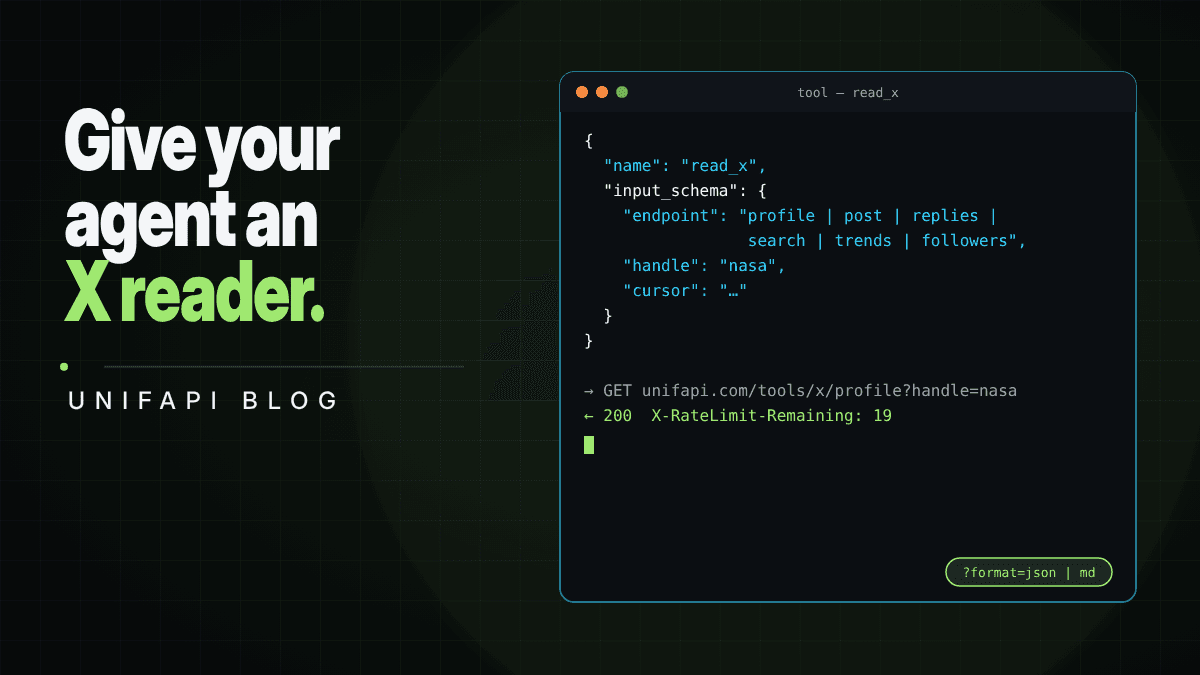
endpoint の enum を持つツール 1 つのほうが、8 つのツールよりモデルには単純で、パラメータ名は API と一致しているのでモデルが間違えようがありません。
{
  "name": "read_x",
  "description": "Read public X (Twitter) data with no account: a profile and its recent posts, one post, an account's media, the replies under a post, a search over recent posts (X operators like from:, since:, min_faves:, filter:media work), trends by location, Communities by topic, or an account's followers/following. Free, rate-limited to 20 requests per 10 minutes; search costs 2. Returns JSON. Pass cursor from a previous result to page.",
  "input_schema": {
    "type": "object",
    "properties": {
      "endpoint": {
        "type": "string",
        "enum": [
          "profile",
          "post",
          "media",
          "replies",
          "search",
          "trends",
          "communities",
          "followers"
        ]
      },
      "handle": {
        "type": "string",
        "description": "X handle or profile URL (profile, media, followers)"
      },
      "id": { "type": "string", "description": "Post ID or x.com status URL (post, replies)" },
      "q": { "type": "string", "description": "Search query or Communities topic" },
      "location": {
        "type": "string",
        "description": "Trends location slug: worldwide, us, uk, japan, india, brazil, korea, germany, spain, mexico"
      },
      "sort": { "type": "string", "enum": ["top", "recent"] },
      "kind": { "type": "string", "enum": ["followers", "following"] },
      "cursor": { "type": "string" }
    },
    "required": ["endpoint"]
  }
}
ハンドラーは fetch 1 行です。
async function readX(input: { endpoint: string } & Record<string, string | undefined>) {
  const { endpoint, ...params } = input;
  const qs = new URLSearchParams(Object.entries(params).filter(([, v]) => v) as [string, string][]);
  const res = await fetch(`https://unifapi.com/tools/x/${endpoint}?${qs}`, {
    headers: { Accept: "application/json" },
  });
  const body = await res.json();
  if (res.status === 429)
    return { error: body.error, retryAfterSeconds: Number(res.headers.get("Retry-After")) };
  return { ...body, remaining: Number(res.headers.get("X-RateLimit-Remaining")) };
}
remaining をモデルに返すのは意図的です。残り 3 回と知らされれば、Claude はページングをやめ、壁にぶつかる代わりに手元にあるもので答えます。
OpenAI の関数呼び出し
同じ形を、OpenAI のラッパーで。
{
  "type": "function",
  "function": {
    "name": "read_x",
    "description": "Read public X (Twitter) data with no account. endpoint=profile|post|media|replies|search|trends|communities|followers. Free, 20 requests per 10 minutes. Returns JSON with { items, hasMore, nextCursor } for lists.",
    "parameters": {
      "type": "object",
      "properties": {
        "endpoint": {
          "type": "string",
          "enum": [
            "profile",
            "post",
            "media",
            "replies",
            "search",
            "trends",
            "communities",
            "followers"
          ]
        },
        "handle": { "type": "string" },
        "id": { "type": "string" },
        "q": { "type": "string" },
        "location": { "type": "string" },
        "sort": { "type": "string", "enum": ["top", "recent"] },
        "kind": { "type": "string", "enum": ["followers", "following"] },
        "cursor": { "type": "string" }
      },
      "required": ["endpoint"]
    }
  }
}
Claude Code と Codex 向けの SKILL.md
コーディングエージェントにツール定義は要りません。必要なのは、この URL パターンが存在すると教えてやることです。プロジェクト内のスキルファイルがそれをします。
---
name: read-x
description: Read public X (Twitter) profiles, posts, replies, search, trends, communities, and followers as JSON or Markdown with no API key, via https://unifapi.com/tools/x/*. Use when a task needs what an account or post says on X.
---

# Reading X

All endpoints are GET https://unifapi.com/tools/x/<endpoint>. No key. Free limit 20 requests
per 10 minutes (search costs 2), printed in X-RateLimit-* headers; on 429 wait Retry-After.

- profile?handle=nasa profile + recent posts (+ posts=1-10, cursor)
- post?id=<id or x.com URL> one post
- media?handle=nasa photo/video posts
- replies?id=<id>&sort=top replies under a post (sort=recent for newest)
- search?q=from:nasa%20filter:media recent posts; X operators work
- trends?location=us trending now
- communities?q=ai X Communities
- followers?handle=nasa&kind=following

Add &format=md for Markdown when the result goes into context. Lists are { items, hasMore,
nextCursor }; pass cursor= to page. Errors are { error: { type, message } }.
Full reference with samples: https://unifapi.com/llms.txt
このファイルがあれば、「@NASA が今週投稿したものを確認して、一番人気の投稿への返信を要約して」は、エージェントが自分で書く 2 つの curl になります。
モデルのための 3 つのルール
- ページングの前に残り回数を読む。
X-RateLimit-Remainingはすべてのレスポンスにあります。プロフィール 1 件とその返信と検索 1 回で、20 のうち 4 ユニット。すべてをページングするループなら、1 分で 20 ユニットです。 Retry-Afterの分だけ待つ。ループで再試行しない。 429 の本文にはupgradeの URL も書かれています。タスクが無料枠より大きいなら、行き先はそこです。ワークスペースキーで、フィールド名は同じです。- 読むための結果なら Markdown、コードのための結果なら JSON を要求する。
format=mdはプロフィールとその投稿を数百トークンで、引用符のオーバーヘッドなしに描画します。JSON は、モデルがデータをフィルタ、ソート、または別のツールへ渡すときのためのものです。
MCP
エージェントがすでに MCP を話せるなら、従量課金の X API は UnifAPI MCP サーバーにあり、同じ操作(プロフィール、投稿、検索、返信、フォロワーなど)をワークスペースキーの背後で従量課金で提供します。上の無料 HTTP エンドポイントは、まだキーがない場合や、キーを要するほどでもない数件の読み取りのためのものです。
FAQ
Claude は Twitter を読めますか?
ツールがあれば読めます。Claude 自身は x.com を読み込めません(ページは JavaScript のシェルです)が、上の read_x ツールを与えれば、プロフィール、投稿、返信、検索結果を JSON として読み、それをもとに推論します。
ChatGPT はツイートを読めますか?
答えは同じです。上の関数定義を使えば、カスタム GPT や Assistants のワークフローで読めます。ChatGPT 組み込みのブラウジングは x.com を描画できません。
API キーは必要ですか?
いいえ。エンドポイントは無料で使え、キーもログインもアカウントも不要で、訪問者ごとのレート制限があります。10 分あたり 20 回の照会で、検索は 2 回分として数えます。キーは、上限なしの従量課金アクセスのためだけのものです。
エージェントがデータでできることに制限はありますか?
エンドポイントは公開データだけを読みます。保護されたアカウントは存在とカウントを返しますが、投稿は決して返しません。公開コンテンツについて X の規約が許す範囲でデータを使ってください。